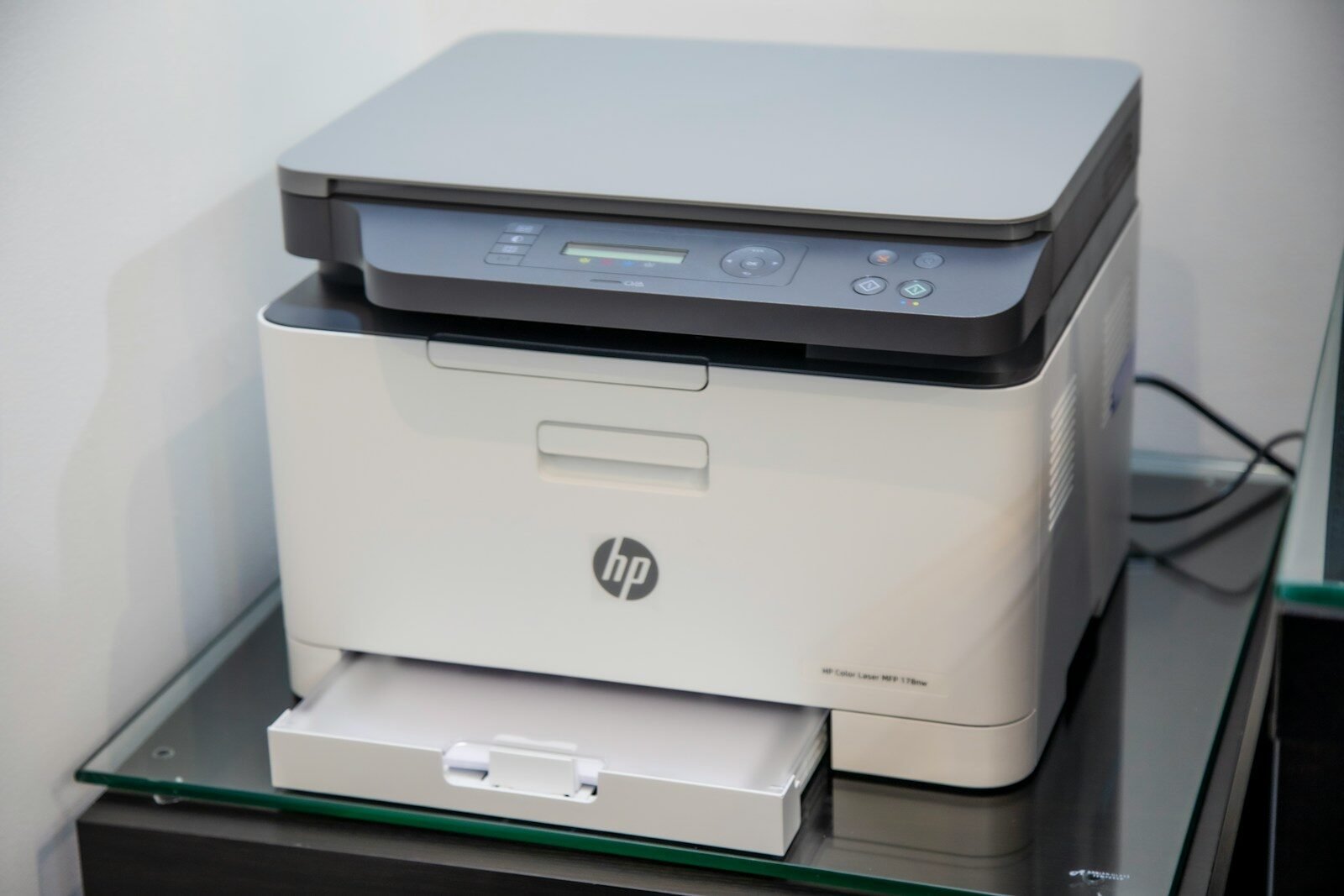
A printer is a device that produces a physical copy of digital information from a computer, phone, or tablet. This physical copy is called a printout. Printers are used to print documents, pictures, forms, labels, schoolwork, church programs, business papers, and many other items.
A printer is an output device because it gives results from the computer. Instead of showing information on a screen, it places information on paper.
There are different types of printers. Two common types are inkjet printers and laser printers. Inkjet printers use liquid ink. They are often good for color printing and photos. Laser printers use toner powder and heat. They are usually fast and good for printing many text documents.
Some printers are black-and-white only. These are called monochrome printers. Other printers can print in color. Color printers use several colors of ink or toner to create different shades.
Many modern printers are all-in-one printers. This means they can print, scan, copy, and sometimes fax. A scanner allows the printer to capture a paper document and save it as a digital file.
Printers can connect in different ways. Some connect with a USB cable. Others connect through Wi-Fi, allowing several devices to print wirelessly. Network printers are common in offices and schools.
When you print a document, the computer sends print instructions to the printer. These instructions include the text, images, page size, number of copies, and print quality. The printer then places the information on paper.
Before printing, you can choose settings. Common settings include paper size, color or black-and-white, single-sided or double-sided printing, number of copies, and page range. Checking settings before printing can save paper and ink.
Printers need supplies. Inkjet printers need ink cartridges. Laser printers need toner cartridges. Printers also need paper. Using the correct paper type can improve print quality.
Printer problems are common. A printer may not print because it is offline, out of paper, out of ink, jammed, disconnected, or using the wrong printer setting. Sometimes restarting the printer and computer can fix the issue.
A paper jam happens when paper gets stuck inside the printer. If this happens, turn off the printer and gently remove the paper according to the printer instructions. Pulling too hard may damage the printer.
Printer drivers are also important. A driver is software that helps the computer communicate with the printer. If the driver is missing or outdated, the printer may not work correctly.
To take care of a printer, keep it clean, use the correct paper, replace ink or toner when needed, and print regularly enough to prevent ink from drying in some inkjet printers.
In conclusion, a printer turns digital information into paper copies. It can be connected by cable or Wi-Fi and may also scan and copy. Understanding how printers work helps users print documents successfully and solve simple printer problems.
Published by: All About Computer Website
Category: Computer Components