Introduction to Computer Cooling Systems
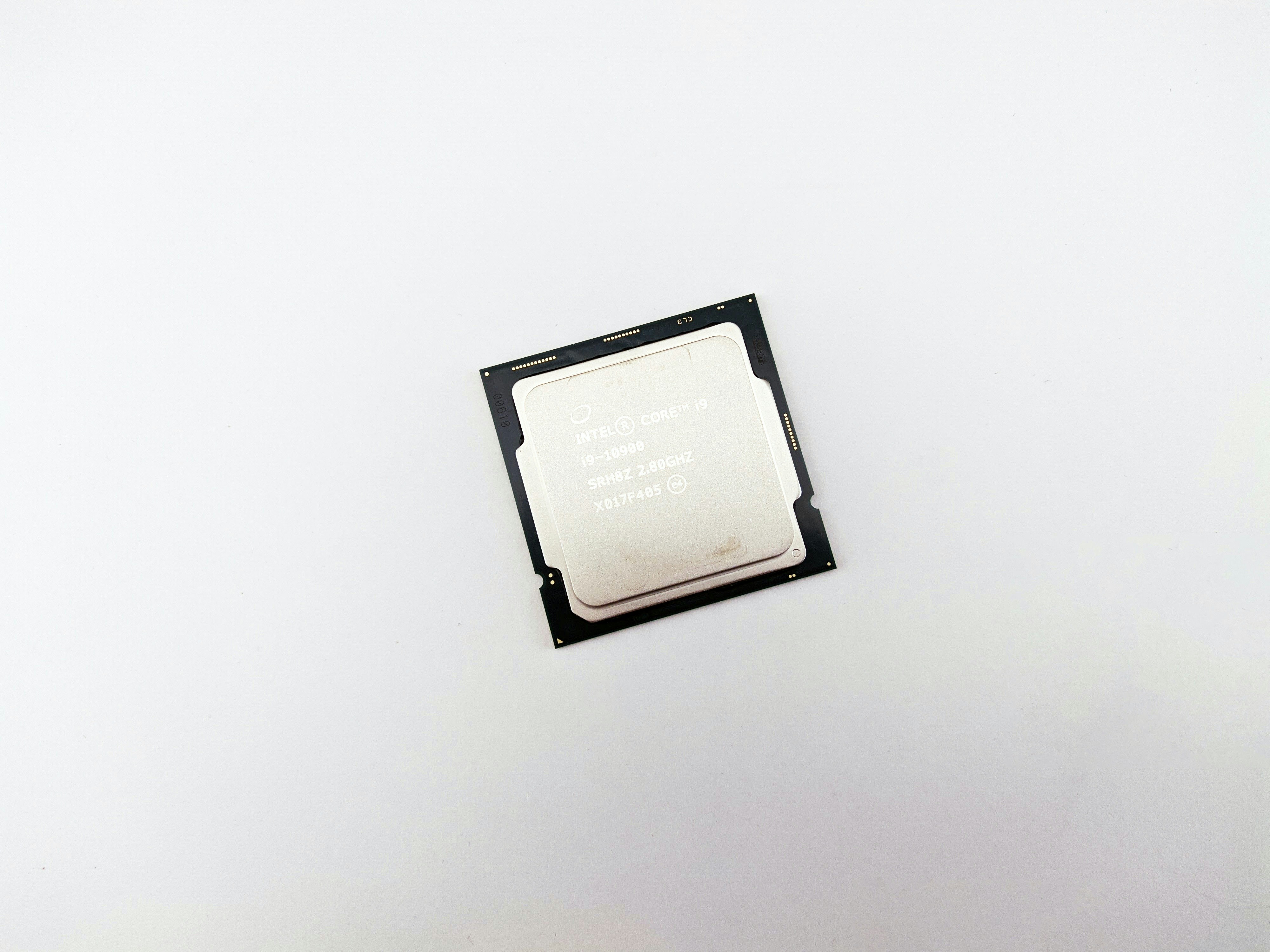
In the realm of computer hardware, cooling systems play a pivotal role in ensuring the optimal performance and longevity of components. These systems are designed to dissipate heat generated by the various parts of a computer, particularly the central processing unit (CPU) and graphics processing unit (GPU). As computational tasks increase in complexity, the heat output of these components also rises, making efficient cooling a necessity rather than a luxury.
Overheating can lead to significant performance issues, including thermal throttling, where a component reduces its speed to manage temperature, ultimately resulting in slower performance. In severe cases, excessive heat can cause permanent damage to critical hardware, leading to system failures and costly repairs. Thus, a well-designed cooling system is essential for maintaining steady operational temperatures and ensuring the reliability of the overall computer system.
There are several types of cooling systems utilized in modern computers, each tailored to specific needs and environments. Air cooling systems, which use fans and heat sinks to dissipate heat, are widely popular due to their simplicity and cost-effectiveness. Liquid cooling systems, while generally more expensive and complex, can provide superior cooling efficiency for high-performance computing applications. Moreover, specialized cooling methods, such as phase change cooling, are employed in extreme conditions where traditional methods may fall short.
In conclusion, understanding and maintaining effective computer cooling systems is crucial for anyone looking to optimize their system’s performance and reliability. As technology advances and workloads increase, the importance of proactive thermal management becomes even more pronounced, highlighting the need for users to be aware of their cooling solutions.
Types of Cooling Systems
In the realm of computer hardware, ensuring optimal performance is heavily reliant on effective cooling systems. Typically, there are two primary types of cooling methods utilized in computers: air cooling and liquid cooling. Each of these systems operates under distinct mechanics and is suited for various applications.
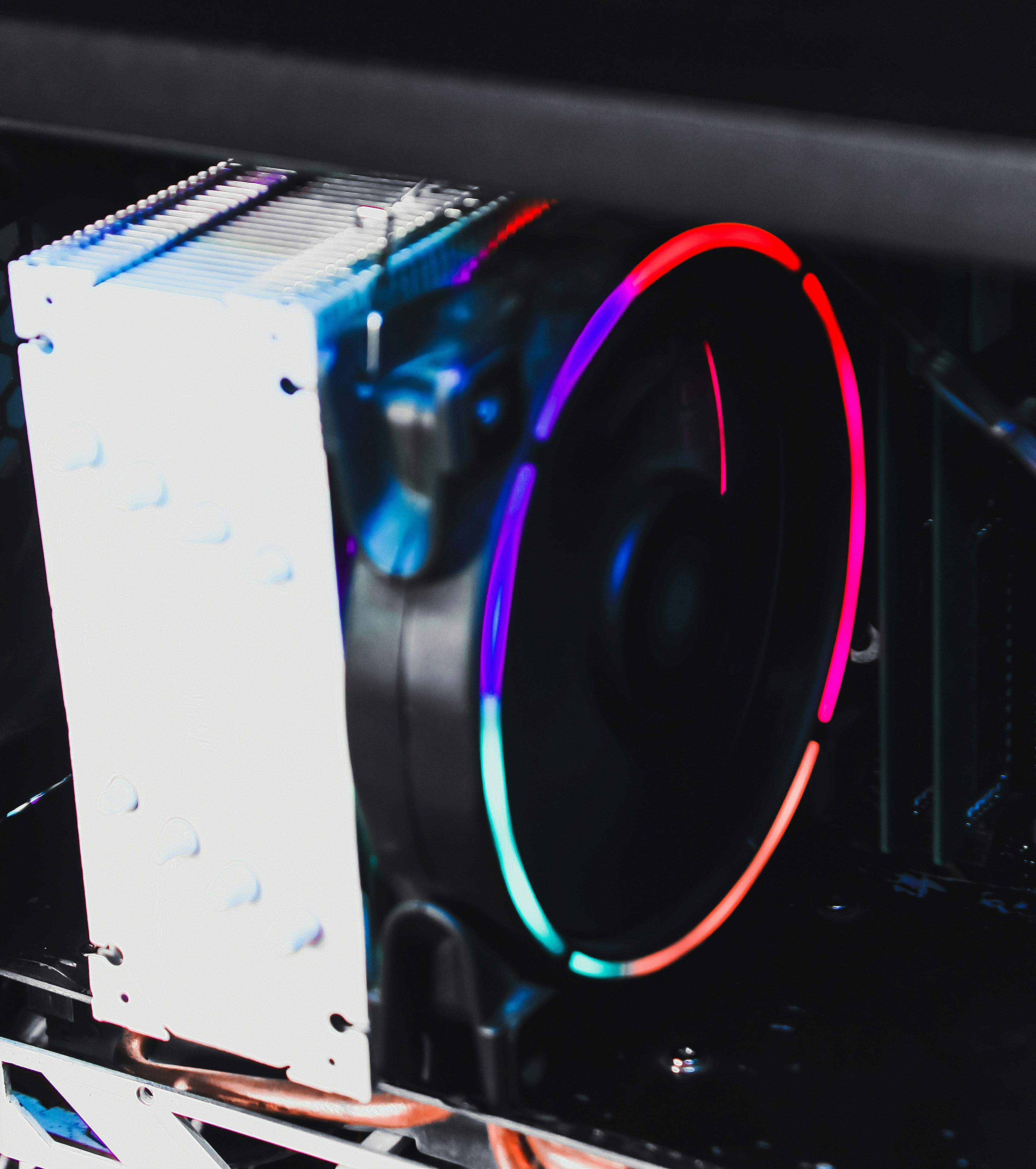
Air cooling is the most prevalent method used in personal computers and laptops. Air cooling systems utilize heatsinks in conjunction with fans to dissipate heat generated by components such as CPUs and GPUs. When air is forced over the heatsink, it transfers heat away from the components into the surrounding environment. This method is favored for its simplicity, cost-effectiveness, and relative ease of installation. Most commonly, air cooling is employed in standard desktop computers, gaming rigs, and other systems where budget constraints are a concern. The design flexibility also allows for the use of larger or multiple fans, enhancing airflow and cooling performance.
On the other hand, liquid cooling has gained popularity, particularly in high-performance computing environments. This cooling system circulates a coolant through tubes and blocks that are attached to heat-generating components. As the coolant absorbs heat, it is transferred to a radiator where fans help dissipate the heat into the air. The efficiency of liquid cooling often means that temperatures can be maintained at lower levels than with air cooling alone. This makes it ideal for overclocked processors and gaming setups where heat generation is significantly higher. Liquid cooling systems can be more complex to install and maintain, but they are favored by advanced users looking for exceptional performance and lower noise levels from their systems.
Choosing between air cooling and liquid cooling involves several factors, including budget, space, and required performance. Understanding the mechanics behind each system aids users in making informed decisions tailored to their specific computing needs.
Fans: The Heart of Air Cooling Systems
In the realm of computer cooling systems, fans play a pivotal role as they are primarily responsible for maintaining optimal airflow and temperature regulation within computer cases. The effective operation of these fans directly influences the performance of various components, such as the CPU and GPU, ensuring they do not overheat during extended use. By moving air in and out of the case, fans help to dissipate heat generated by the internal hardware, preventing potential damage and maintaining system longevity.
There are several types of fans used in computer cooling systems, each designed to serve specific functions. The most common are case fans, which are strategically placed to establish consistent airflow throughout the system. These fans can be categorized primarily into two types: intake and exhaust fans. Intake fans draw cooler air from the environment into the case, while exhaust fans expel warmer air, thereby promoting a steady flow of air that prevents overheating.
Additionally, within a computer’s cooling system, some fans may feature different sizes, such as 120mm or 140mm, which correlate to their airflow capacity and noise levels. Larger fans generally offer a higher airflow at lower RPMs, which can be beneficial for silent operation. Conversely, smaller fans tend to rotate faster to achieve the necessary airflow, often resulting in increased noise. It is crucial for users to choose fans based on their specific cooling needs and system configuration.
Moreover, some advanced systems utilize PWM (Pulse Width Modulation) fans which adjust their speed automatically based on temperature sensors within the computer. Such technology enhances efficiency and contributes to quieter operation while ensuring that components remain within their optimal temperature range. Given their fundamental role, selecting the appropriate fan type and configuration is essential for maintaining system performance and preventing thermal throttling in modern computing environments.
Heat Sinks: Enhancing Heat Dissipation
Heat sinks are essential components in modern computing, designed to dissipate heat generated by critical electronic components, such as Central Processing Units (CPUs) and Graphics Processing Units (GPUs). Their primary function is to enhance thermal performance, ensuring that the temperature of these critical parts remains within operational limits. Typically constructed from materials with high thermal conductivity, such as aluminum or copper, heat sinks effectively transfer heat away from the component they are attached to.
The working principle of a heat sink is founded on the concept of thermal conduction. When a CPU or GPU operates, it generates heat as electricity flows through its circuits. The heat sink absorbs this heat and spreads it over a larger surface area, allowing it to dissipate into the surrounding air. This process is significantly aided by the presence of fans, which increase airflow around the heat sink, enhancing heat dissipation further. When a fan is positioned adjacent to a heat sink, it amplifies the efficiency of the heat transfer, ensuring that the component stays cool even during intensive tasks.
The significance of heat sinks in conjunction with fans cannot be overstated. Together, they play a pivotal role in maintaining optimal performance and stability of computing systems. Without adequate cooling provided by heat sinks and fans, components could overheat, leading to thermal throttling, reduced performance, and eventual component failure. Furthermore, in high-performance computing environments, where sustained workload is common, the effectiveness of a heat sink can mean the difference between optimum operation and catastrophic failure.
In summary, heat sinks are crucial for enhancing heat dissipation, operating in tandem with fans to ensure that CPUs and GPUs function within safe temperature ranges. Knowledge of heat sink technology is vital for anyone looking to optimize their computer’s performance.
Thermal Paste: The Unsung Hero
Thermal paste, often underestimated in its significance, plays a crucial role in ensuring efficient heat transfer between computer components and their respective heat sinks. This semi-conductive material fills the microscopic gaps and imperfections found on the surfaces of CPUs and GPUs, which otherwise hamper the transfer of heat. By effectively conducting heat away from these components, thermal paste helps in maintaining optimal operating temperatures and preventing thermal throttling.
The efficiency of thermal paste is critical, particularly for high-performance systems that generate significant amounts of heat. Inadequate thermal interface materials can lead to increased temperatures, resulting in reduced performance and potentially shortening the lifespan of vital components. Therefore, applying thermal paste correctly and choosing the right type is essential for optimal cooling system performance.
When it comes to application, there are several techniques that can ensure effective use of thermal paste. The most frequently recommended method involves applying a small drop—about the size of a pea—of thermal paste to the center of the CPU or GPU. Once the heat sink is positioned firmly on top, the pressure will spread the paste evenly across the surface. This method reduces the chances of air bubbles forming, which can hinder heat transfer.
It is also vital to use high-quality thermal pastes, as they vary in thermal conductivity and longevity. While some are designed for standard applications, others cater to high-performance setups. Regular checks and reapplication of thermal paste are advised, especially in systems that have been in use for extended periods. Proper maintenance of thermal paste not only supports components in operating at ideal temperatures but also contributes significantly to the longevity and reliability of the entire system.
Vents and Airflow Management
Effective cooling is crucial for maintaining optimal performance in computer systems, and a significant aspect of this lies in the design of vents and airflow management within the computer case. The fundamental concept is that heat generated by components such as the CPU and GPU needs to be efficiently expelled from the system to prevent overheating, which can lead to thermal throttling and reduced performance.
Computer cases are typically designed with strategically placed vents that allow for the ingress and egress of air. These vents come in various shapes and sizes, and they are usually located at the front, side, and rear of the case. Front vents tend to draw in cool air from the environment, whereas rear and top vents primarily assist in expelling heated air produced by active components. This design creates a continuous airflow pattern, often referred to as a cooling airflow pathway, which is essential for effective thermal management.
Moreover, effective airflow management is reliant on not just the presence of vents, but also the placement of internal fans. The orientation and speed of these fans can influence how air moves through the case. For instance, an intake fan located at the front can work in conjunction with exhaust fans at the rear or top, creating a positive pressure environment that enhances cooling efficiency. It is also advisable to consider dust filters at intake points to prevent debris buildup, which can diminish airflow and consequently impair cooling performance over time.
In addition to fan placement and vent design, the organization of components within the case plays a significant role in airflow. Ensuring that cables and other obstructive elements are neatly arranged helps to promote unobstructed air paths, thereby enhancing the overall thermal efficiency of the system. This synergy between vents, cooling fans, and component layout is paramount for maintaining optimal performance and longevity of computer systems.
Liquid Cooling Solutions
Liquid cooling systems are increasingly recognized as a highly efficient method for maintaining optimal temperatures in computer hardware. These systems utilize a coolant, typically water or a specialized liquid, that circulates through a series of channels or tubes to dissipate heat from critical components such as the CPU and GPU. The primary components of a liquid cooling solution include a water block, radiator, pump, and reservoir. The water block is in direct contact with the CPU or GPU, absorbing heat, while the radiator serves to dissipate this heat into the environment.
One significant benefit of liquid cooling systems is their superior thermal performance compared to traditional air cooling systems. While air cooling systems rely on fans to move air over heat sinks, they often struggle to maintain low temperatures, especially during high performance demanding tasks like gaming or processing large datasets. Liquid cooling allows for a much broader thermal capacity, efficiently handling more heat without the pronounced noise often associated with high-speed fans.
Moreover, liquid cooling systems provide the advantage of aesthetic customization for PC builders, as they can incorporate RGB lighting or uniquely styled components that enhance the visual appeal of the setup. Furthermore, they can sometimes be more compact than air coolers, allowing for a sleeker build.
However, while liquid cooling offers numerous advantages, it does have some drawbacks, including the initial cost and maintenance involved. Liquid coolers can be more expensive than their air counterparts, and they may require periodic maintenance to prevent leaks and ensure optimal performance.
In scenarios where maximum performance and a quieter operation are essential—such as gaming, overclocking, or intensive computational tasks—liquid cooling solutions can be particularly advantageous. In contrast, for basic computing tasks, air cooling systems can provide the necessary cooling without the complexities of liquid systems.
Maintaining an Effective Cooling System
To ensure a computer operates at optimal performance, maintaining an effective cooling system is crucial. Over time, dust and debris can accumulate on components such as fans, heatsinks, and vents, which can lead to decreased airflow and increased temperatures. Regular cleaning of these components is one of the simplest yet most effective practices for maintaining a computer’s cooling system. Utilizing compressed air to blow out dust particles from fans and heatsinks should be performed on a routine basis, ideally every few months, depending on the environment where the computer operates.
Monitoring temperatures is equally important in assessing the effectiveness of the cooling system. Various software tools, such as HWMonitor or Core Temp, can provide insight into the internal temperatures of the CPU, GPU, and overall system. Keeping an eye on these temperatures, especially under heavy usage, allows users to detect rises in temperature that might indicate a failing cooling component or require upgrades.
When it comes to upgrading specific parts, knowing when to act is key. If the computer is consistently running above the recommended temperature thresholds, it might be time to consider upgrading cooling solutions. For instance, replacing stock CPU coolers with aftermarket options can enhance cooling capacity and noise reduction. Additionally, adding or upgrading case fans can significantly improve airflow throughout the case, further aiding in temperature regulation. If the system is still not able to maintain adequate temperatures after cleaning and upgrading, it may be necessary to assess the thermal paste application on the CPU and GPU, as old or improperly applied thermal paste can severely hinder heat dissipation.
Conclusion: Importance of Proper Cooling
In the realm of computing, the significance of proper cooling systems cannot be overstated. Effective cooling methods play a crucial role in maintaining optimal performance and prolonging the lifespan of computer hardware. As we have explored, the various types of cooling systems, including air cooling, liquid cooling, and innovative passive cooling solutions, each have their distinct advantages and applications. Understanding the specific needs of a computer setup is essential in selecting the appropriate cooling system.
Furthermore, the maintenance and management of a cooling system directly impact its efficiency. Regular cleaning of fans, ensuring sufficient airflow, and monitoring temperatures are practices that can significantly improve a system’s cooling capability. Conducting routine checks can prevent overheating, which is often the leading cause of hardware failure. Components such as CPUs and GPUs perform optimally within specific temperature ranges; thus, maintaining these temperatures through effective cooling is fundamental.
The importance of a well-maintained cooling system extends beyond mere performance enhancements. It directly correlates to the stability and reliability of a computer system. A well-cooled system is less likely to experience unexpected shutdowns or performance throttling due to heat, thereby providing a seamless user experience. All in all, prioritizing and investing in an efficient cooling solution is key to safeguarding the integrity of computer components and ensuring long-term satisfaction with the computer’s performance.