What is a Power Supply Unit (PSU)?
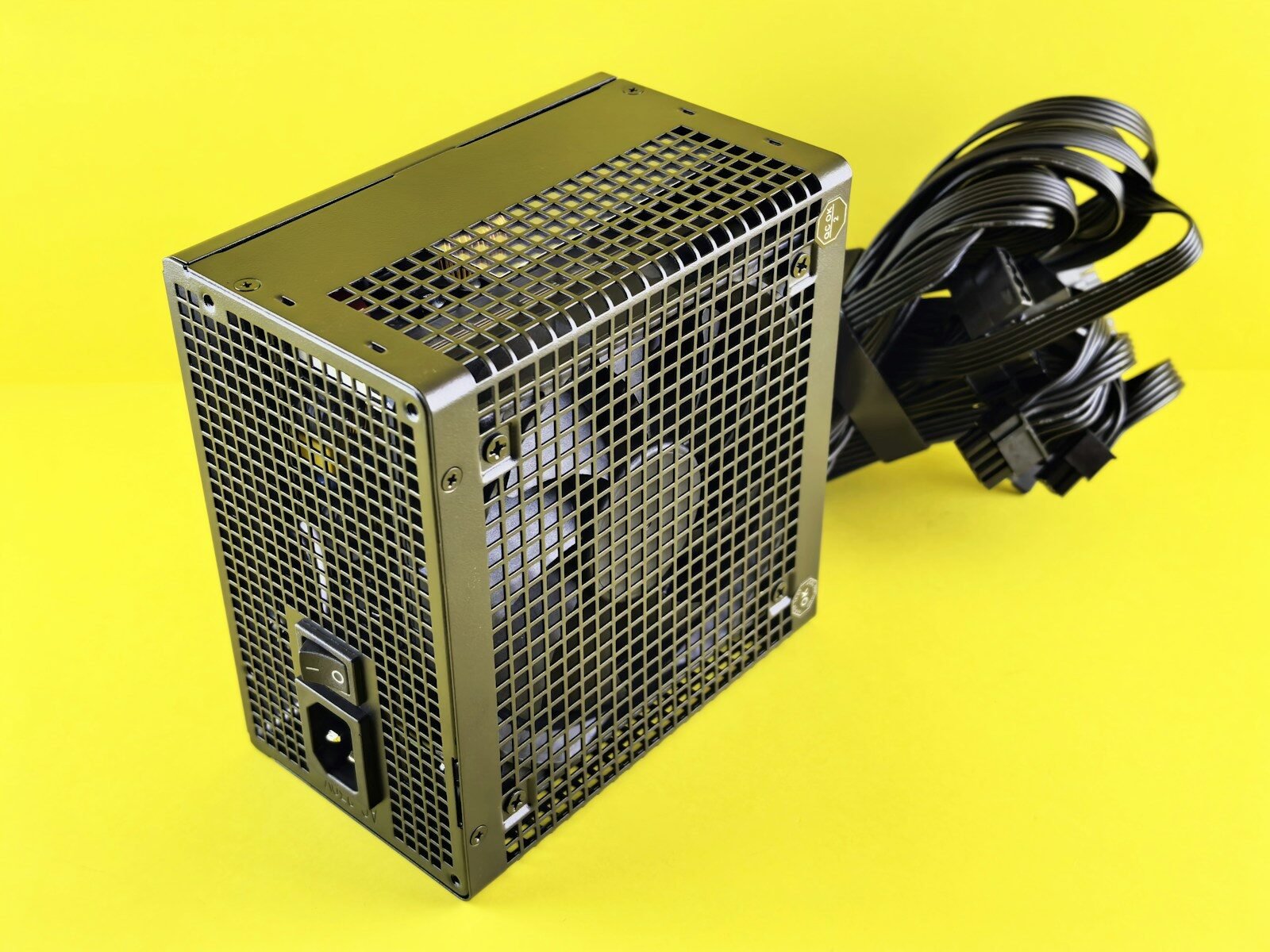
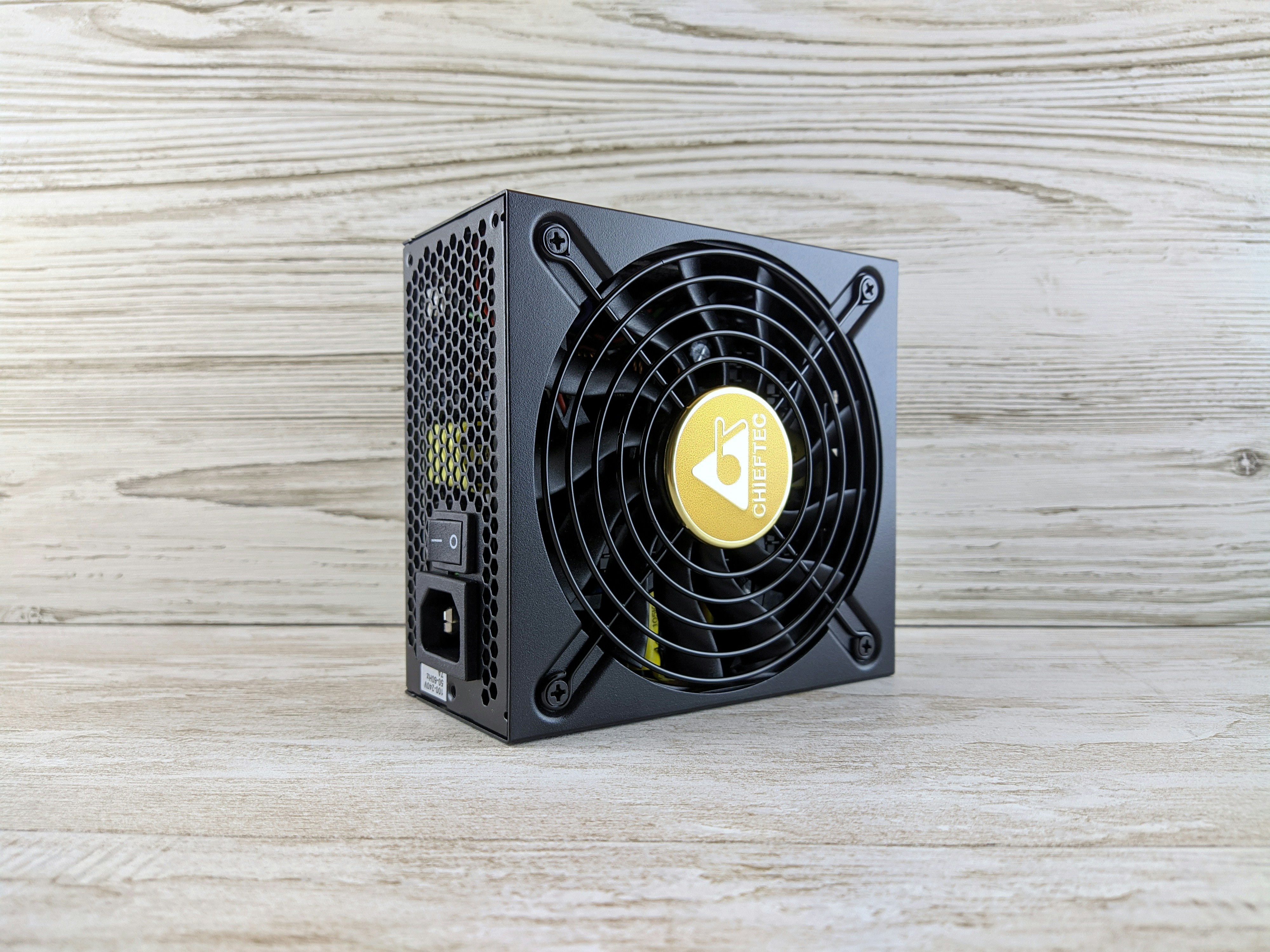
A Power Supply Unit (PSU) is a critical component of a computer system, responsible for converting the alternating current (AC) electricity from a wall outlet into the direct current (DC) electricity required by the various internal components of the computer. Essentially, the PSU acts as the heart of the computer, distributing power to the motherboard, CPU, graphics card, and all other peripherals, ensuring that each component operates effectively.
At its core, the PSU plays a vital role in maintaining the functionality and stability of a computer system. It is designed to provide the correct voltages and currents needed by different components. For instance, a standard computer requires 3.3V, 5V, and 12V DC power, as these voltages cater to various elements such as hard drives, SSDs, and cooling fans. The PSU converts the higher-voltage AC into lower-voltage DC, matching the specific requirements of each component to prevent damage and ensure optimal performance.
Moreover, modern PSUs often come equipped with various features that enhance their utility and safety. These include built-in protection mechanisms against over-voltage, short circuits, and overheating, ensuring reliability during operation. Additionally, they may be modular or non-modular in design, affecting not only performance but also cable management and airflow within the computer case.
In summary, a Power Supply Unit is indispensable in any computer setup, serving as a foundation for the electrical needs of various components. Understanding its function not only helps users appreciate its importance but also aids in making informed decisions when selecting a PSU during a system build or upgrade.
Understanding the Functionality of a Power Supply Unit
The Power Supply Unit (PSU) plays a critical role in modern computers by converting alternating current (AC) from the electrical outlet into direct current (DC) that is used by the various components of the computer. This conversion process is essential, as most computer parts, such as the motherboard, CPU, and graphics card, operate on DC power. The conversion begins when AC voltage enters the PSU through the power cable, where it is subjected to filtering and regulation.
Once the PSU receives the AC voltage, it uses a transformer to step down the voltage to a level suitable for DC conversion. The primary job of the transformer is to adjust the voltage levels safely without causing damage to the internal components. Following the transformer, the current is rectified using diodes, which allows only one half of the AC waveform to pass, resulting in a pulsating DC voltage.
This pulsating DC is not yet suitable for computer components; hence, it undergoes further smoothing and filtering by capacitors, which reduces the ripples, yielding a more stable DC voltage. The resulting DC output is more consistent and reliable, crucial for the optimal performance of the computer parts. Additionally, the PSU is equipped with voltage regulation mechanisms to ensure that the output voltage remains stable, regardless of fluctuations in the input voltage or changes in the power draw of connected devices.
Load regulation also plays a vital role as it adjusts the output voltage whenever the computer’s power requirements change. High-quality PSUs can maintain voltage levels within very tight tolerances, which is essential to protect sensitive components from damage. Therefore, the design and functionality of a PSU are not merely about supplying power; they are integral to the stability and performance of the entire computer system.
Key Components of a PSU
The power supply unit (PSU) serves as a critical component of any computer system, supplying the necessary electrical energy for operation. Within the PSU, several key components work in unison to ensure that the power delivered is efficient, stable, and appropriate for various computer parts. Understanding these components is essential for appreciating the PSU’s functionality.
One of the main components is the transformer. The transformer is responsible for converting the high voltage from the wall outlet into lower voltages that are suitable for the computer’s hardware. By stepping down the voltage, the transformer enables safe operation of sensitive components such as the motherboard, hard drives, and graphics cards. Additionally, transformers can contribute to isolating the components from electrical noise, enhancing the stability of power delivery.
Another crucial component is the capacitor. Capacitors are vital for smoothing out voltage fluctuations. They store electrical energy and release it as needed, thus maintaining a consistent voltage level. This action ensures that components receive uninterrupted power, reducing the chances of crashes or hardware damage. High-quality capacitors can also contribute to improved longevity and efficiency of the power supply unit.
Moreover, cooling fans are integral to the success of a PSU. As electrical components generate heat during operation, cooling fans help dissipate this heat, keeping the PSU at optimal operating temperatures. Improved cooling can enhance the overall efficiency of the unit and extend its lifespan, preventing thermal throttling or failure of the PSU due to excessive heat buildup.
In conclusion, the transformer, capacitors, and cooling fans represent just a few of the essential components within a PSU. Each plays a distinct role in ensuring that the power supply unit operates effectively, underlines the complexity of the power distribution system, and showcases the importance of understanding these elements for computer enthusiasts and professionals alike.
Types of Power Supply Units
When selecting a power supply unit (PSU) for your computer, it is important to understand the different types available in the market. Each type of PSU comes with its own set of features, advantages, and disadvantages, catering to diverse needs and preferences.
The first category is the non-modular PSU. This type has a fixed set of cables that are hardwired into the unit. The primary advantage of non-modular PSUs is their lower cost, making them an attractive option for budget-conscious consumers. However, their lack of flexibility can lead to cable management challenges, especially in smaller cases. Excess cables may hinder airflow and create clutter within the computer.
Next, we have the modular PSU. Unlike non-modular options, these power supplies allow users to connect only the cables they need for their specific setup. This feature greatly enhances cable management, as it minimizes excess cables cluttering the case. While generally more expensive than non-modular models, modular PSUs can lead to better airflow and aesthetics. They also allow for easier upgrades in the future, as users can customize cables according to their evolving hardware configurations.
The third type is the semi-modular PSU. This option combines elements of both non-modular and modular designs. In semi-modular units, some essential cables, such as the motherboard connector and CPU power cable, are permanently attached, while others can be added or removed as needed. This provides a compromise between cost and flexibility, making them a popular choice among gamers and PC builders who desire improved cable management without a significant increase in expenditure.
In summary, understanding the advantages and disadvantages of non-modular, modular, and semi-modular PSUs is crucial for making an informed choice. Evaluating your specific needs, preferences, and budget can greatly assist in determining the most suitable power supply unit for your computer system.
Understanding PSU Ratings and Specifications
The power supply unit (PSU) is a critical component in any computer system, and understanding its ratings and specifications is essential for optimal performance and stability. One of the primary factors to consider is the wattage rating. Wattage indicates the maximum power that the PSU can deliver to the various components of the computer, including the CPU, GPU, and other peripherals. Selecting a power supply with adequate wattage is crucial; under-powering components can lead to instability or system failures.
Additionally, the efficiency rating of a PSU plays an important role in overall system performance. Many power supplies are rated according to the 80 PLUS certification program, which assesses efficiency at varying loads. A higher efficiency rating, such as 80 PLUS Gold, Platinum, or Titanium, indicates that less energy is wasted in the form of heat, enabling your system to run more effectively while potentially reducing electricity costs. A PSU with a good efficiency rating can significantly contribute to long-term system reliability, enhancing the lifespan of critical components.
Cable specifications are another important aspect to consider when evaluating a PSU. The quality and quantity of cables can affect how well the power supply fits into existing systems, particularly in more complex builds. Modular power supplies allow users to connect only the cables they need, improving airflow and making cable management easier. It’s imperative to ensure that the connectors available on the PSU match the requirements of your components, especially for high-performance hardware that may demand specialized connectors.
In conclusion, a well-selected power supply unit, with appropriate wattage, high efficiency, and suitable cable specifications, is fundamental to ensuring your computer system operates smoothly and reliably. Understanding these ratings helps in making informed decisions that enhance your overall computing experience.
The Importance of Choosing the Right PSU
Choosing the right Power Supply Unit (PSU) is a critical decision in building or upgrading a computer system. The PSU not only provides the necessary power to all the components but also plays a pivotal role in ensuring the longevity and performance of the machine. A high-quality PSU can enhance stability, efficiency, and cooling, preventing potential damage to sensitive hardware. Given that the PSU operates continuously, its quality can affect the overall lifespan of the system.
Using a low-quality or underpowered PSU poses significant risks. An insufficient wattage supply can lead to system instability, resulting in unexpected crashes or even hardware failure, particularly when demanding tasks are underway, such as gaming or intensive computing. Additionally, a poorly constructed PSU may provide unstable voltage outputs, which can wear out components faster or cause irreparable damage. Therefore, investing in a reliable PSU mitigates the chance of catastrophic failures that may arise from power fluctuations or insufficient power delivery.
Moreover, selecting a PSU that meets the specific needs of the system is essential. For instance, gamers and professionals using high-performance graphics cards and processors should opt for a PSU with a higher wattage capacity and efficiency rating. This not only ensures adequate power supply but can also lead to a more efficient operation, potentially lowering electricity bills and reducing heat generation.
Ultimately, the importance of choosing the right PSU can’t be overstated. A good PSU provides peace of mind, allowing users to focus on performance without the worry of overheating or component failure. Thus, thorough research and consideration are paramount when selecting a power supply for any computer system.
Signs of a Failing Power Supply
The power supply unit (PSU) is a critical component of any computer system, serving as the energy source that powers all other hardware elements. When a PSU begins to fail, it can manifest through various symptoms that indicate a need for immediate attention. Recognizing these signs can be crucial in preventing further damage to the system.
One of the most common indicators of a failing power supply is the occurrence of random crashes or unexpected shutdowns. If your computer powers off abruptly or experiences frequent blue screens, these may suggest that the PSU is struggling to deliver a consistent power supply. Such instability can jeopardize essential files and overall system functionality.
Additionally, a failure to boot up properly can signal problems with the power supply. If pressing the power button does not yield any response, or if the system powers on only to turn off shortly thereafter, the PSU’s reliability may be compromised. These situations could lead to a frustrating experience and potential data loss if corrective measures are not taken.
Another noticeable symptom is the presence of strange noises, such as loud buzzing or clicking sounds emanating from the power supply unit. These sounds often indicate internal components experiencing stress or failure, which can further exacerbate the risk of complete PSU failure. Ignoring these auditory signs can result in significant harm to the computer, necessitating costly repairs or replacements.
In conclusion, recognizing the signs of a failing power supply is essential for maintaining the health of your computer system. Addressing issues related to crashes, boot failures, and unusual noises promptly can prevent more severe consequences and safeguard your hardware investment.
Tips for Maintaining Your PSU
Maintaining your power supply unit (PSU) is essential for the overall health of your computer system. A properly cared-for PSU can not only extend its life but also ensure that your computer functions optimally. Here are some practical tips for effective PSU maintenance.
First and foremost, regular cleaning is vital. Dust accumulation can impede airflow and cause overheating. To clean your PSU, it’s advisable to disconnect it from the power source before proceeding. Use a can of compressed air to blow out dust from the ventilation grilles and fans. Make a habit of cleaning your PSU every few months, especially if you live in a dusty environment. Ensure that the internal components are handled delicately to avoid any static discharge that could cause damage.
Monitoring heat buildup is equally important. An overheating PSU can lead to component failure and potentially damage other parts of your system. If you notice your computer is shutting down unexpectedly or experiencing performance issues, consider installing temperature monitoring software. Additionally, pay attention to the PSU itself; if it feels excessively hot to the touch, it may be time to evaluate its functionality and consider replacement.
Another crucial aspect of PSU maintenance is ensuring proper ventilation within your computer case. Make sure that the PSU is installed in a way that allows for optimal airflow. Organizing cables and removing any obstructions can significantly improve airflow and help maintain a suitable operating temperature. Installing additional case fans can also aid in enhancing airflow, reducing the chances of overheating.
Lastly, routinely check the power cables and connectors for signs of wear and tear. Damaged cables can affect the efficiency of the PSU and lead to system instability. By following these tips, you can maintain your power supply unit effectively, thus ensuring the longevity and reliability of your computer system.
When to Replace Your Power Supply Unit
Determining the right time to replace your power supply unit (PSU) can significantly impact your computer’s performance and longevity. Several factors contribute to this decision, and being aware of them will help ensure your system operates optimally.
One of the primary indicators that it may be time to consider a PSU replacement is age. Power supply units typically have a lifespan of around five to seven years, depending on usage and quality. If your PSU has been in service for several years, it could be losing efficiency or stability. Capacitors inside the PSU can degrade over time, leading to reduced power delivery and increased risk of failure.
Performance issues can also signal the need for a new power supply. If you experience unexpected shutdowns, system instability, or frequent crashes, the PSU may not be providing adequate power to your components. Furthermore, strange noises or the presence of burning smells are clear warning signs of a failing PSU that should not be ignored.
Another important consideration is the consideration of upgrades. If you decide to upgrade your computer components, such as adding a new graphics card or a powerful processor, your existing PSU may not provide the necessary power. It is crucial to assess the overall wattage requirements of your upgraded components and ensure that your PSU can meet these demands effectively.
Lastly, if your PSU lacks essential features such as efficiency rating or modular cables, it may be time for an upgrade. A high-efficiency PSU (80 Plus rating or better) can lead to savings on electricity bills and improved thermal performance.
In conclusion, monitoring the age, performance, and potential upgrades of your PSU is vital for maintaining a reliable and efficient computer system. If any of these indicators suggest your PSU may be failing or inadequate, it is wise to consider a replacement to ensure optimal performance.