What is RAM?
Random Access Memory, commonly abbreviated as RAM, is a crucial component within computer systems, serving as a form of volatile memory. This type of memory is characterized by its ability to read and write data swiftly, allowing for the temporary storage of information that the computer actively utilizes. Unlike permanent storage solutions, such as hard drives or solid-state drives, RAM does not retain data once the power supply is disconnected or the system is shut down.
RAM operates by providing the Central Processing Unit (CPU) immediate access to the data it requires to perform tasks. This facilitates faster processing speeds, as data stored in RAM can be retrieved more quickly than data sourced from long-term storage. Consequently, the performance of a computer system can be significantly impacted by the amount of RAM installed; systems with more RAM can handle larger workloads and more applications simultaneously without slowing down.
One of the distinguishing features of RAM is its volatile nature. This means it is designed to store data temporarily while a computer is running. When the machine is powered down, all data held in RAM is lost. This contrasts with non-volatile memory, which preserves data even when powered off. The transient nature of RAM necessitates a constant supply of electricity, which is a fundamental characteristic that underlines its role in a computer’s architecture.
In summary, Random Access Memory is pivotal in enabling efficient and rapid processing within computer systems. It plays a key role in determining a device’s overall performance and efficiency, particularly in multitasking scenarios, by facilitating quick access for the CPU to the essential data it needs during operation.
How RAM Works
Random Access Memory (RAM) serves as a crucial component in the architecture of modern computers, functioning as volatile memory that temporarily holds data for quick access by the Central Processing Unit (CPU). The operational mechanism of RAM revolves around two primary processes: reading and writing data. When the CPU needs to execute a task, it sends a request to the RAM to retrieve the required data. This process occurs almost instantaneously, allowing the CPU to perform complex computations without significant delay.
RAM stores data in a format of addressable units called memory cells. Each cell can hold a bit of information, and memory addresses enable the CPU to efficiently locate and interact with the data within these cells. The reading process involves transferring data from RAM to the CPU, while writing data entails sending information from the CPU to RAM for storage. This continuous interaction ensures that the CPU has immediate access to essential data, enhancing performance and efficiency.
Furthermore, to understand how RAM fits into the larger architecture of computer memory, it is important to consider the concept of memory hierarchy. This hierarchy organizes various types of memory based on their speed and capacity, with registers and cache memory located at the top, followed by RAM and, ultimately, secondary storage devices such as hard drives and SSDs at the bottom. RAM serves as a bridge between the fast-access cache memory and the slower secondary storage, ensuring that frequently accessed data is readily available. By optimizing the reading and writing processes, RAM significantly influences overall system performance, thereby playing a vital role in the functionality of a computer.
Types of RAM
Random Access Memory (RAM) is essential for the performance of computers and devices, as it serves as the temporary storage that allows for quick data access. There are primarily two types of RAM: Dynamic RAM (DRAM) and Static RAM (SRAM), each serving unique functions and applications.
Dynamic RAM (DRAM) is the most common type of RAM utilized in personal computers and servers. It stores each bit of data in a separate capacitor within an integrated circuit, which tends to leak charge and requires refreshing thousands of times per second to retain data. Its primary advantage lies in its capacity; DRAM is relatively inexpensive to produce, which allows manufacturers to produce large amounts of memory at a lower cost. This characteristic makes it the preferred choice for main memory in a computer. Additionally, DRAM has variations, such as Synchronous DRAM (SDRAM), which synchronizes the memory speed with the computer’s bus speed, enhancing overall performance.
On the other hand, Static RAM (SRAM) provides faster read and write access compared to DRAM. Unlike DRAM, each bit is stored using a flip-flop, meaning it does not need to be refreshed, thus allowing for quicker data retrieval. However, SRAM is generally more expensive and occupies more space on chips than DRAM, which limits its usage primarily to cache memory in processors. The speed of SRAM contributes significantly to the overall efficiency of computer systems, making it a vital component in applications where performance is critical.
Further variations of RAM include DDR SDRAM (Double Data Rate Synchronous Dynamic RAM), which represents an advancement on the SDRAM by enabling data transfers on both the rising and falling edges of the clock cycle, effectively doubling the data throughput. This improvement is crucial for modern computing, as it accommodates the increasing demand for bandwidth in memory-intensive applications.
RAM Size and Performance
The size of Random Access Memory (RAM) plays a crucial role in the overall performance of computers. With an increasing demand for efficient multitasking capabilities and speedy application performance, having an adequate amount of RAM is essential. Essentially, RAM serves as a temporary storage space that allows a computer’s processor to access data quickly and execute tasks effectively. When a user is operating multiple applications simultaneously, sufficient RAM enables the system to switch between them without significant lag.
In practical scenarios, consider a situation where a user is engaged in video editing while also running design software and browsing the internet. If the computer has 8GB of RAM, it may struggle to manage these demanding tasks collectively, leading to decreased responsiveness and longer load times. In contrast, a computer equipped with 16GB or 32GB of RAM is better positioned to handle such workloads, facilitating a smoother experience through enhanced efficiency.
Benchmarks support the notion that increased RAM size contributes to faster application performance. For instance, when running heavy software applications like virtual machines or high-resolution graphic editing programs, users can see substantial performance improvements. Studies have shown that applications perform significantly better with 16GB of RAM compared to 8GB, manifesting in lower load times and improved rendering speeds. Furthermore, for gamers, a computer with more RAM can result in improved frame rates, enabling a seamless gaming experience.
Ultimately, the significance of RAM size cannot be overstated. By investing in a system with greater RAM capacity, users not only enhance their computer’s performance but also future-proof their setups against increasingly resource-intensive applications. As software continues to evolve, having an ample amount of RAM will increasingly warrant improved functionality and efficiency.
The Impact of RAM on Gaming and Multimedia
Random Access Memory (RAM) plays a crucial role in the performance of gaming and multimedia applications. As modern games and sophisticated editing software evolve, so do their memory requirements. Today’s games often demand a significant amount of RAM to function effectively, ensuring that textures load quickly and that gameplay remains fluid without lags or interruptions. For example, many contemporary titles recommend a minimum of 16GB of RAM for optimal performance, while more demanding AAA games may advocate for even higher amounts.
When it comes to multimedia creation, programs such as Adobe Premiere Pro or Final Cut Pro also benefit immensely from abundant RAM. These applications, which handle high-resolution video editing and rendering, require substantial memory capacity to manage large file sizes and complex calculations efficiently. Insufficient RAM may lead to sluggish performance, increased load times, and even project crashes, which can disrupt the creative process and adversely affect productivity.
Furthermore, having adequate RAM not only enhances the gaming and creative experience but also supports multitasking capabilities. Gamers often run background applications, such as voice chat software or browsers, while playing. Insufficient memory can lead to performance issues, undermining the gaming experience and, in some cases, giving competitors an edge. In contrast, a well-equipped system with an appropriate amount of RAM delivers a smooth, uninterrupted experience, allowing users to enjoy their gaming sessions or multimedia projects without technical difficulties.
Overall, as gaming and multimedia applications continue to advance technologically, the importance of RAM cannot be overstated. Ensuring the availability of sufficient RAM is essential for achieving the desired performance levels in these fields.
Upgrading and Choosing the Right RAM
Choosing the appropriate RAM for your computer is a critical decision that significantly impacts the overall performance and efficiency of your system. The selection process begins with assessing compatibility. It is vital to ensure that the RAM module is compatible with the motherboard’s specifications and the existing RAM configuration. Always refer to the motherboard’s manual or the manufacturer’s website to identify supported RAM types, such as DDR4, DDR5, and their respective clock speeds.
Next, consider the speed of the RAM. RAM speed is measured in megahertz (MHz), and higher speeds can lead to better performance, especially in demanding tasks such as gaming or video editing. However, the performance gains are often marginal when compared to the cost implications, so weigh your options carefully. It may be prudent to balance speed with overall system requirements and budget.
Capacity is another critical factor. For typical users engaged in everyday tasks, 8GB of RAM is often sufficient. However, power users may prefer 16GB or more to ensure smooth multitasking and efficient resource management. Over time, as software becomes more demanding, higher capacities will provide a longer-lasting solution.
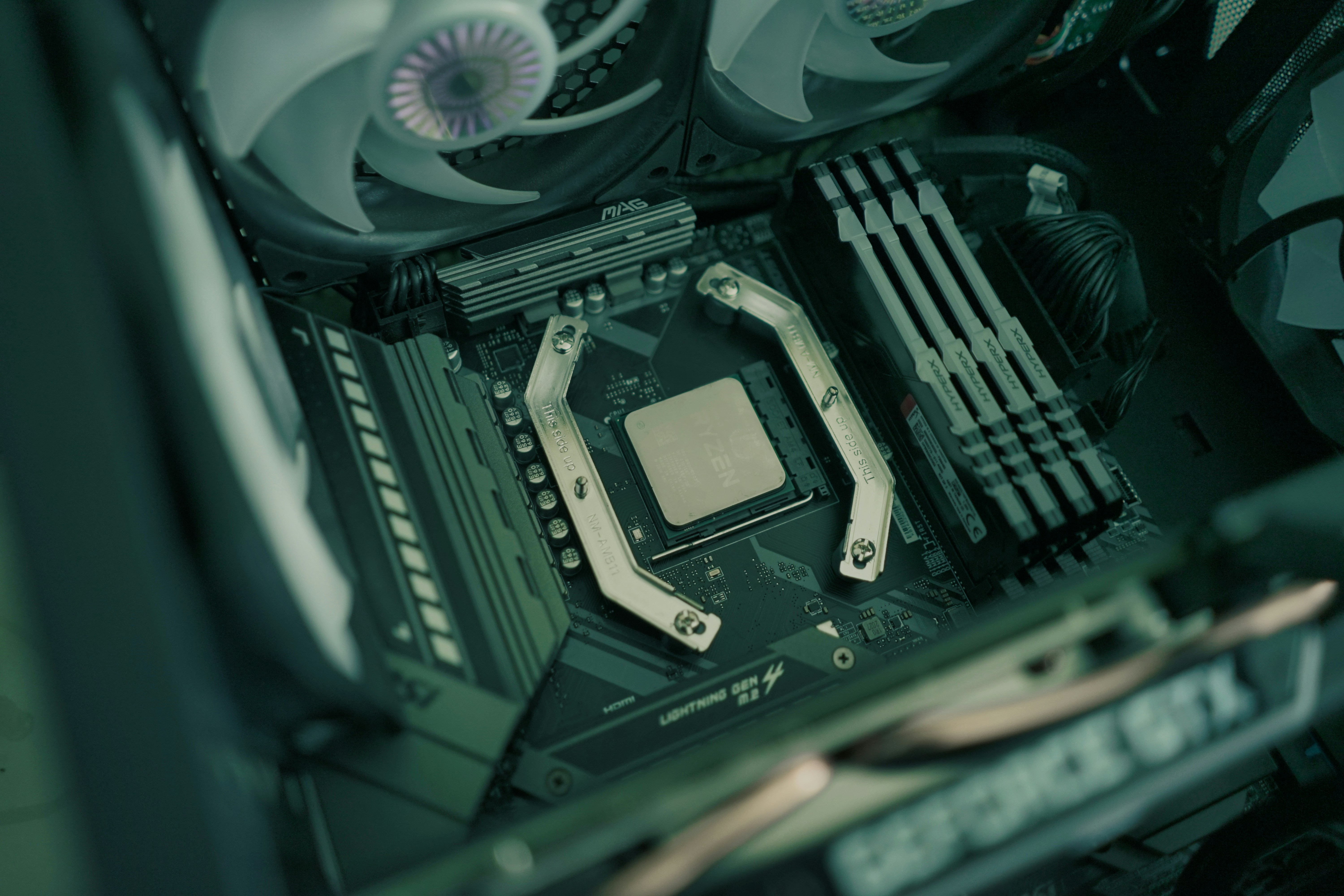
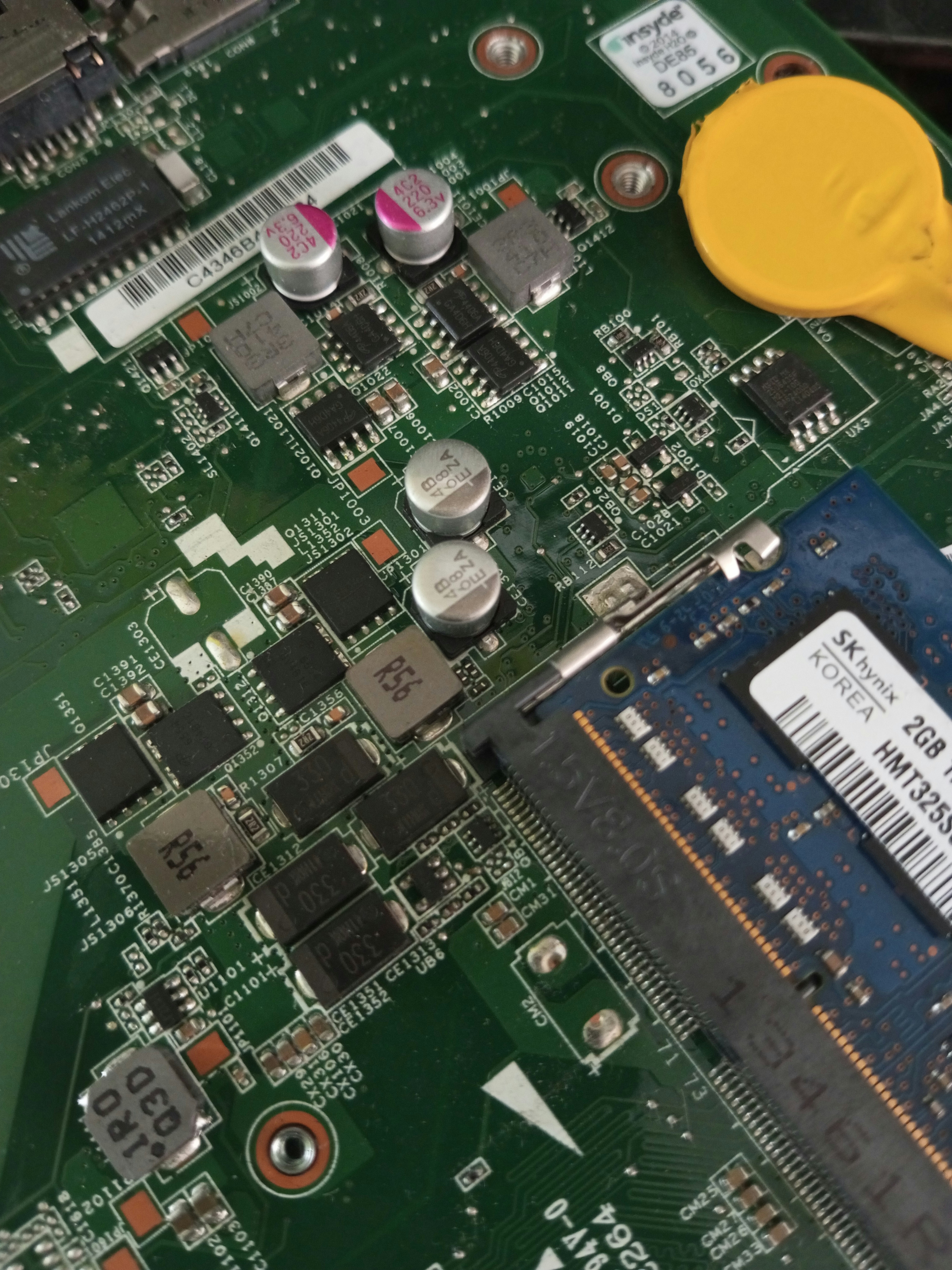
Once you have chosen the right RAM, upgrading is the next step. Begin by powering off the computer and unplugging it from the wall. Open the case by removing the side panel, usually secured by screws or clips. Locate the RAM slots on the motherboard. If you are adding RAM, insert the new modules into the empty slots, ensuring they are firmly seated. If replacing existing RAM, gently release the locking clips on each side and remove the old modules before inserting the new ones.
After installation, power on the computer and check the BIOS settings to ensure the new RAM is recognized. If issues arise, ensure all modules are seated correctly and that there are no compatibility problems. Upgrading your RAM can significantly enhance your computer’s performance when done correctly.
Common Myths About RAM
Random Access Memory (RAM) is a vital component of computer systems; however, several myths surrounding it can lead to misunderstandings about its function and requirements. One prevalent misconception is that having an excessively large amount of RAM guarantees exceptional performance. While it is true that more RAM can improve performance in specific applications, such as graphic design or gaming, merely increasing RAM size does not inherently lead to a faster computer. The key factor is to have an adequate amount of RAM that corresponds with the needs of your typical tasks.
Another common myth concerns the distinction between RAM and storage. Users often confuse these two separate components, believing that RAM serves the same function as hard drives or SSDs. In reality, RAM is temporary memory that stores data and programs while a computer is running, allowing for quick access and processing. Once the computer is turned off, all information in RAM is lost. On the other hand, storage devices retain data even when powered down, making them essential for saving files and applications in the long term.
There is also a misconception regarding the effect of RAM on boot speeds. While adequate RAM can facilitate quicker access to system files and enhance multitasking capabilities, the speed at which a system boots is primarily dependent on the storage type and speed, along with the system’s overall architecture. Solid-state drives (SSDs) significantly reduce boot times compared to traditional hard disk drives (HDDs), irrespective of the amount of RAM installed. Understanding these distinctions is crucial in optimizing both performance and user experience.
The Future of RAM Technology
As technology continues to evolve at a rapid pace, the future of RAM technology promises to bring significant advancements that will enhance performance, efficiency, and capacity. The demand for faster processing speeds has propelled innovation in the development of new types of RAM. Emerging technologies, such as DDR5 (Double Data Rate 5), are already beginning to replace DDR4, offering double the bandwidth and improved power efficiency. This shift not only enables faster data transfer rates but also helps in reducing the overall energy consumption of devices.
Another area of development includes the integration of non-volatile memory solutions like MRAM (Magnetoresistive Random Access Memory) and ReRAM (Resistive Random Access Memory). These types of RAM have the potential to retain data even when power is lost, thereby bridging the gap between memory and storage, and possibly reshaping the memory architecture of computers. Companies are actively exploring these alternatives to provide solutions that meet the increasing requirements of applications ranging from mobile devices to high-performance computing.
Moreover, trends in RAM technology also indicate a movement toward 3D memory architectures. Rather than being limited to planar designs, 3D stacking allows for greater density, significantly increasing storage capacity while occupying less physical space. This technology could revolutionize how devices are designed, leading to slimmer and more efficient models that do not compromise on performance.
Looking further ahead, advancements in quantum computing present an intriguing potential to redefine RAM’s role entirely. Quantum systems operate on fundamentally different principles compared to classical computers and may introduce new forms of memory that drastically outperform traditional RAM technologies. As these innovations unfold, the landscape of computing will likely change, reshaping user experiences significantly.
Conclusion: The Importance of RAM in Modern Computing
In modern computing, Random Access Memory (RAM) serves as a crucial component in the efficient functioning of electronic devices. It acts as a temporary storage system, holding data that is actively being used or processed by the computer. As highlighted throughout this post, the efficiency of RAM significantly affects the overall performance of a device. Higher RAM capacity allows for smoother multitasking and enhances the user’s experience by enabling applications to run simultaneously without lag.
The role of RAM extends beyond just speed. It plays a vital part in the stability and responsiveness of the system. For instance, computers with insufficient RAM may struggle to perform basic tasks, leading to increased loading times and the possibility of application crashes. Understanding the importance of RAM empowers users to make informed choices when it comes to upgrading or purchasing new systems. Choosing the right amount of RAM tailored to specific needs—whether for gaming, graphic design, or general use—can greatly enhance user satisfaction.
Furthermore, as technology continues to advance, the demands placed on computing devices grow. This makes it imperative for users to reassess their RAM needs periodically. Staying informed about the evolving standards of RAM and its functionalities can help users achieve a more harmonious balance between performance and efficiency. In light of this, RAM is not just a temporary memory solution; it is a foundational element that fortifies the productivity and capabilities of modern computing, making a thorough understanding of it essential for both casual users and professionals alike.