What is a Local Area Network (LAN)?
A Local Area Network (LAN) refers to a system that interconnects multiple devices, such as computers, printers, and smartphones, within a relatively small, localized area. Typically, this includes homes, schools, offices, or buildings. The primary purpose of a LAN is to facilitate the sharing of resources and information among connected devices. The geographical limitations of a LAN can vary in size, but it generally operates over a range of a few meters to several kilometers.
LANs are distinctly different from Wide Area Networks (WANs), which span much larger geographical areas, sometimes covering entire cities, countries, or even continents. While WANs may require more complex technologies like satellite or fiber-optic cables to transmit data over long distances, LANs typically utilize Ethernet or Wi-Fi technology for communication. This enables faster data transfer rates and lower latency within the confined environment of a LAN.
Common uses of Local Area Networks include enhancing collaboration among team members in a corporate setting, facilitating connectivity in educational institutions for students and educators, and enabling smart home devices to communicate seamlessly with each other. In a business context, for instance, a LAN can allow employees to access shared files, printers, and applications, while in a residential context, it can connect various smart devices for automation and control.
In summary, a Local Area Network is a vital component of today’s digital infrastructure, playing an essential role in our interconnected lives at home, in schools, and in workplaces. Its ability to connect devices in localized settings allows for efficient communication and resource sharing, thereby enhancing functionality and productivity.
Common Applications of LANs
Local Area Networks (LANs) are integral to enabling connectivity in diverse settings, including homes, educational institutions, offices, and community spaces such as churches. Each of these environments leverages the capabilities of LANs to meet specific needs, facilitating a seamless flow of information.
In residential settings, LANs primarily serve to connect multiple devices such as computers, tablets, smartphones, and smart home devices. This interconnectedness allows for efficient file sharing, enabling family members to access shared documents, photos, and videos effortlessly. Additionally, with printers connected to the LAN, households can benefit from centralized printing, eliminating the need for multiple standalone printers. Moreover, LANs provide reliable internet connectivity, ensuring that all devices within the home can access online resources simultaneously without degrading performance.
In educational environments, particularly schools and universities, LANs play a crucial role in enhancing the learning experience. They support extensive networking by connecting classrooms, libraries, and labs, facilitating access to educational resources and digital learning tools for both students and faculty. File sharing becomes vital here, as educators can distribute materials and students can collaborate on projects effectively. Moreover, LANs enable access to centralized printers and shared network drives, optimizing the efficiency of resource utilization.
In corporate settings, LANs enhance business operations by connecting computers and other devices to streamline communication and ensure smooth data exchanges. Employees can access shared files, utilize network printers, and maintain connectivity with cloud services easily. Additionally, with the rise of remote work, LANs in office environments often extend to secure connections to remote employees, granting them access to necessary resources as though they were on-site.
Churches and other community centers similarly benefit from LANs, using them to connect services and provide web access for administrative tasks. They can host multimedia presentations during services and facilitate communication and outreach efforts within the community.
Components of a LAN
A Local Area Network (LAN) is a collection of interconnected devices within a limited geographical area, allowing for seamless communication and resource sharing. To establish a functional LAN, several key components are required, encompassing both hardware and software elements.
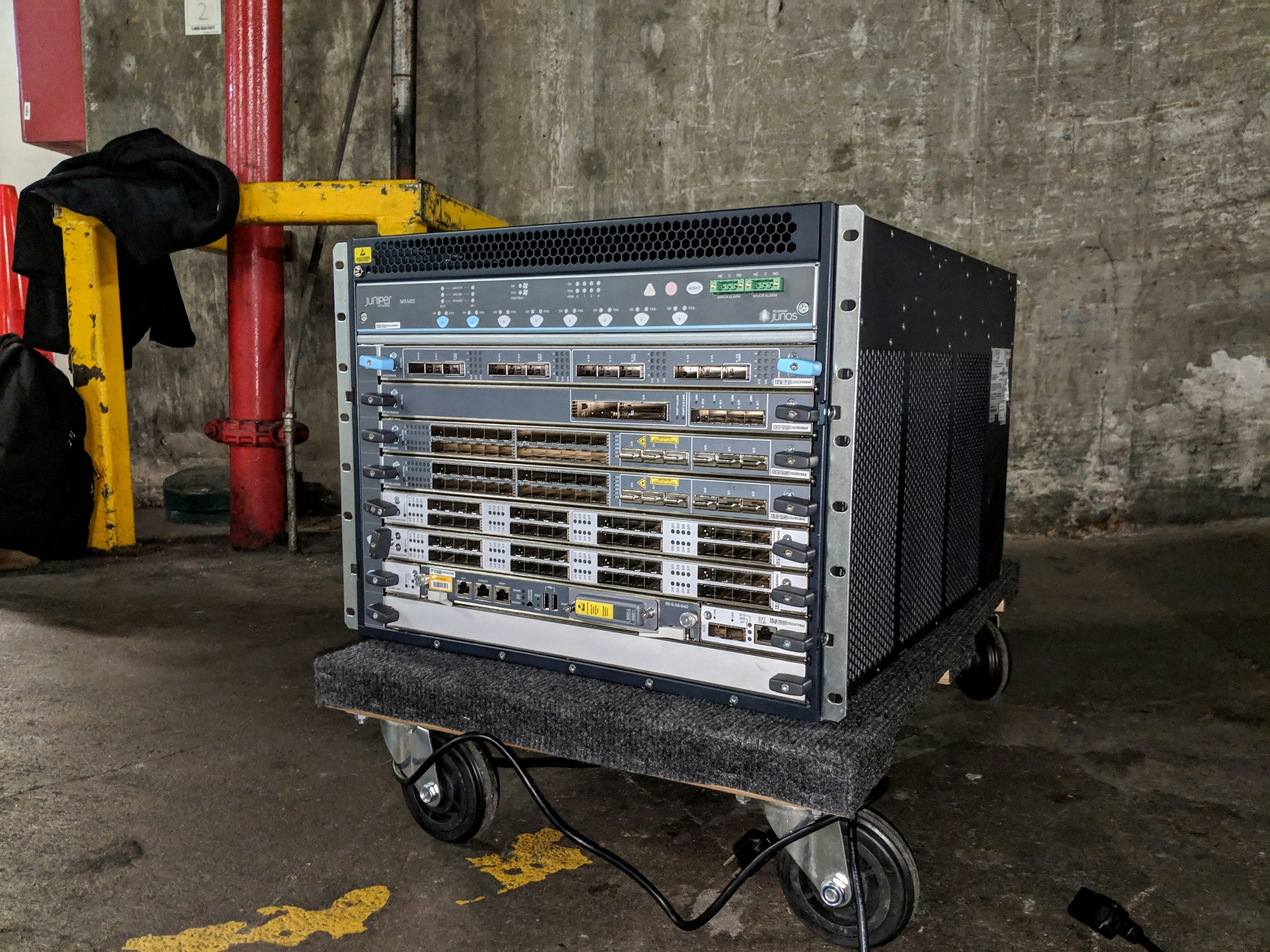
At the core of any LAN setup are networking devices like routers and switches. The router serves as the gateway that connects the local network to external networks, such as the internet. It directs data traffic, assigns IP addresses, and enhances security by implementing firewall protections. The switch, on the other hand, connects multiple devices within the same LAN, facilitating communication between them by forwarding data only to the intended recipient device. This targeted data transfer optimizes network efficiency, ensuring that local data does not congest external bandwidth.
Additionally, network cables are critical for physical connectivity in a LAN environment. Ethernet cables, such as Cat5e or Cat6, provide reliable and high-speed connections between devices, including computers, printers, and servers. For wireless LAN configurations, wireless access points (WAPs) are essential, enabling mobile devices to connect without the need for physical cables. The choice between wired and wireless connectivity is contingent upon specific network requirements and environmental factors.
Furthermore, software solutions play a pivotal role in managing and securing a LAN. Network management software assists in monitoring network performance, troubleshooting issues, and optimizing traffic. Security software, including antivirus programs and intrusion detection systems, safeguards the LAN from potential threats and vulnerabilities. Together, these components create a robust and secure networking environment, enabling efficient data exchange and resource sharing among connected devices.
How LANs Enable File Sharing
Local Area Networks (LANs) play a pivotal role in facilitating seamless file sharing among connected devices. File sharing within a LAN allows users to efficiently transfer files, access shared resources, and collaborate on projects in real-time. The convenience of sharing files over a LAN can be achieved through various methods and protocols.
Among the most common protocols used for file sharing in LANs are the Server Message Block (SMB), Network File System (NFS), and File Transfer Protocol (FTP). SMB is particularly prevalent in Windows environments, allowing different devices to access shared folders and files while enabling drag-and-drop functionalities. NFS, on the other hand, is primarily utilized in Unix/Linux systems, allowing users to mount remote file systems, effectively treating them as local resources. FTP serves as a robust solution for transferring files across the network, accommodating various client and server configurations.
File sharing permissions are paramount for maintaining network security and ensuring that sensitive data is safeguarded. Administrators can assign permissions, stipulating which users can read, write, or modify files. This level of control is essential to prevent unauthorized access and data breaches. User authentication mechanisms, such as passwords and access control lists (ACLs), further bolster the network’s security, enabling only designated users to access shared files.
In addition to permissions, it is crucial to consider the implications of network security when sharing files via a LAN. Implementing measures such as firewalls and intrusion detection systems enhances protection against threats. Regularly updating software and utilizing encryption technologies can significantly reduce the risk of data loss and unauthorized access. Thus, LANs not only enhance collaborative efforts through effective file sharing methods but also ensure that appropriate security measures are in place to protect sensitive information.
Network Security in LANs
Network security is a critical aspect of managing Local Area Networks (LANs) due to the ever-evolving threat landscape. As organizations increasingly rely on interconnected systems for operations, the integrity and confidentiality of data transmitted across LANs become paramount. Common threats to LAN security include unauthorized access, malware attacks, and data interception. These vulnerabilities may arise from various sources, such as unpatched software, weak passwords, or physical security breaches.
To effectively secure a LAN, several best practices should be implemented. First, strong password policies must be established, ensuring that unique and complex passwords are used for user accounts, switches, and routers. Regular updates and patches for network devices help mitigate the risk of exploitation through known vulnerabilities. Additionally, it is crucial to segment the network using Virtual LANs (VLANs) to limit access to sensitive information, thereby enhancing overall security.
Firewalls play a pivotal role in protecting LANs by monitoring incoming and outgoing traffic, effectively blocking unauthorized access. A properly configured firewall can defend against various threats, such as Distributed Denial of Service (DDoS) attacks and intrusions. Furthermore, integrating antivirus software within a LAN serves as an additional layer of protection, detecting and neutralizing malware before it can compromise the network. Regularly updating antivirus definitions ensures that the network is shielded from the latest threats.
In conclusion, maintaining robust network security within Local Area Networks is essential to safeguard sensitive information and ensure operational continuity. By adopting best practices and utilizing tools such as firewalls and antivirus software, organizations can significantly reduce vulnerabilities and protect their networks from potential threats.
Setting Up a Home LAN
Establishing a Local Area Network (LAN) at home can significantly enhance connectivity among various devices, allowing for streamlined communication and data sharing. To successfully set up a home LAN, one must begin with the necessary equipment. This typically includes a router, either wired or wireless, that will serve as the central hub for the network. Additionally, Ethernet cables may be required for wired connections between devices such as computers and printers.
Once you have gathered the essential equipment, the next step involves configuring your router. Start by connecting the router to your modem provided by the Internet Service Provider (ISP). This connection is crucial as it allows the router to access the internet. Configure the router’s settings via a web-based interface, which can usually be accessed by entering the router’s IP address into a web browser. It is essential to set up a strong password for the router’s admin interface to prevent unauthorized access.
After setting the router, connect your devices to the LAN. For devices supporting Wi-Fi, locate the network on the device’s settings and enter the password. For wired connections, plug one end of the Ethernet cable into the device and the other end into the router. Ensure that all devices are showing connectivity to the network and can communicate with each other.
Furthermore, it is imperative to implement secure network practices during the setup process. Change the default SSID (network name) of the router to something unique, and disable SSID broadcasting if desired. Enabling WPA3 security protocol will provide an additional layer of encryption, safeguarding your network from potential threats. Regular updates to the router’s firmware will also bolster its defenses against vulnerabilities.
By carefully setting up your home LAN with the right equipment and security measures, you ensure a reliable and secure network environment, facilitating improved connectivity and productivity among your devices.
Troubleshooting Common LAN Issues
Local Area Networks (LANs) are integral to the functionality of home and office environments, providing a framework for connectivity and data exchange. However, users may encounter several common issues, including connectivity problems, slow internet speeds, and hardware malfunctions. Understanding how to troubleshoot these challenges is essential for maintaining an efficient LAN.
One of the most frequent problems faced by users is connectivity issues. If devices are unable to connect to the network, the first step is to check the physical connections. Ensuring that all cables are securely plugged in and examining the status of the router and switches can often resolve the issue. Additionally, verifying that the devices are set to the correct network and that the Wi-Fi is enabled can help restore connectivity.
Another common issue is slow network speeds, which can hamper productivity and affect user experience. To troubleshoot slow speeds, assess the network traffic. High usage by multiple devices or bandwidth-intensive applications can lead to congestion. Implementing Quality of Service (QoS) settings on the router can prioritize essential tasks or devices, ensuring that critical applications receive adequate bandwidth. Furthermore, performing a speed test can pinpoint whether the issue lies within the LAN or is derived from the internet service provider.
Hardware malfunctions also pose challenges in LAN functionality. Problems such as a malfunctioning router or network interface card can disrupt connectivity. Regular updates to the router’s firmware can often resolve bugs and improve performance. If hardware issues persist, testing with alternative devices can help identify whether the problem is with specific equipment or the network itself.
By following these troubleshooting tips and methodologies, users can effectively address and resolve many common LAN issues, leading to a more stable and functional network environment.
The Future of LAN Technology
As technology continues to advance at a rapid pace, local area networks (LANs) are undergoing significant transformations that enhance their capabilities and configurations. One of the most notable developments in LAN technology is the evolution of Wi-Fi standards. With the introduction of Wi-Fi 6 and the upcoming Wi-Fi 7, network speeds are set to increase significantly, offering improved performance in dense environments. These new standards support higher data rates, increased capacity, and enhanced reliability, which are crucial for managing the growing number of devices connected to LANs.
In addition to advancements in wireless technology, Ethernet standards are also progressing. The development of Multi-Gigabit Ethernet standards, such as 2.5G, 5G, and 10G Ethernet, allows for higher throughput in wired connections. This means that LAN administrators can provide faster and more reliable connections to high-demand devices, such as servers and storage systems, thereby improving overall network efficiency and performance. The convergence of wired and wireless technologies is leading to hybrid systems that maintain the advantages of both mediums.
Furthermore, the rise of smart home technology is influencing LAN configurations. With the proliferation of Internet of Things (IoT) devices, from smart thermostats to security cameras, LANs must accommodate a diverse range of connections. This shift requires more sophisticated networking solutions to ensure seamless communication between devices and maintain adequate bandwidth. Network management tools are evolving as a result, enabling homeowners and businesses to monitor and optimize their LANs effectively.
As we look to the future, it is evident that the ongoing innovations in Wi-Fi and Ethernet standards, coupled with the growing impact of smart home technology, will fundamentally shape the landscape of local area networks. Adapting to these advancements will be crucial for both businesses and individuals aiming to maximize their network capabilities.
Conclusion and Final Thoughts on LANs
Local Area Networks (LANs) have become an indispensable component of modern communication infrastructure. Their ability to enable devices, such as computers, printers, and smartphones, to communicate efficiently within a limited area significantly enhances productivity in both personal and professional settings. By facilitating data sharing, users can collaborate seamlessly, ensuring that teams remain connected, regardless of their physical location.
In today’s interconnected world, the benefits of LAN technology cannot be overstated. For businesses, a robust LAN allows for centralized data management, enabling easier resource sharing and increased operational efficiency. Furthermore, the cost-effectiveness of LAN solutions provides organizations with the opportunity to invest in other critical areas of their operations. On a personal level, home networks allow individuals to connect multiple devices, enjoying a shared internet connection, streaming services, and gaming experiences without significant lag. This versatility makes LANs appealing to a wide array of users.
As technology continues to evolve, it is crucial to consider the implications of LANs in our daily lives. With the rise of emerging technologies, such as the Internet of Things (IoT), the functionality and reach of local area networks are expected to expand. For instance, smart homes, where various devices are seamlessly interconnected through a LAN, exemplify a practical application of this technology. Furthermore, with the shift towards remote work and online communication, the relevance of LANs will only continue to grow.
In conclusion, understanding the significance of Local Area Networks is essential for navigating today’s fast-paced, digital environment. Whether in the workplace or at home, embracing LAN technology presents numerous benefits that can enhance connectivity, improve efficiency, and foster innovation for users across various sectors.