HDD and SSD are two common types of computer storage. Storage is where your computer keeps files, programs, pictures, videos, and the operating system. Understanding the difference between HDD and SSD can help you choose a faster and better computer.
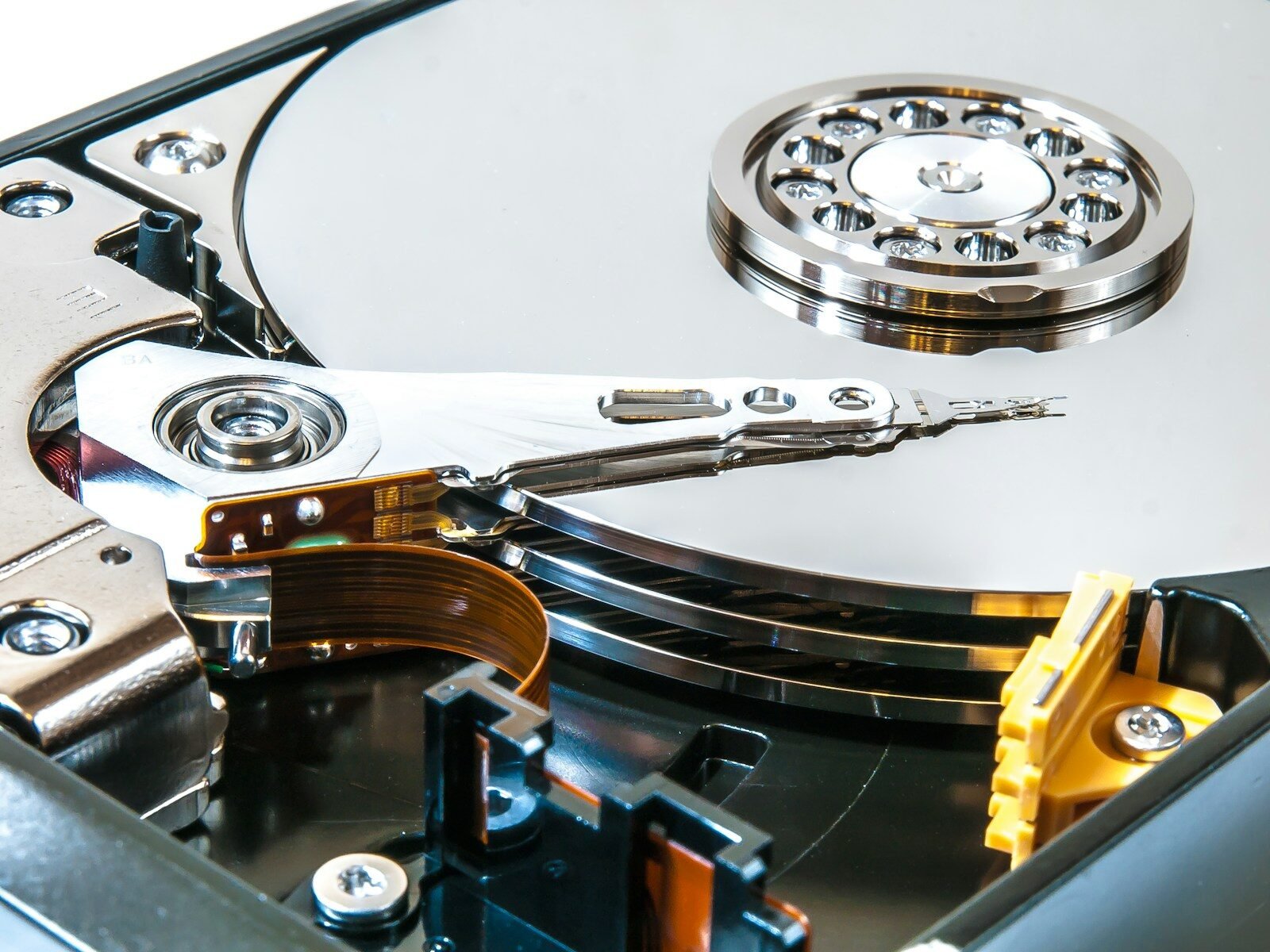
HDD stands for Hard Disk Drive. It is an older type of storage that uses spinning disks and a moving read-write arm. It works a little like a record player. The disk spins, and the arm reads or writes information.
SSD stands for Solid-State Drive. It is a newer type of storage that uses memory chips instead of moving parts. Because it has no spinning disk, an SSD can usually read and write data much faster than an HDD.
The biggest difference between HDD and SSD is speed. A computer with an SSD usually starts faster, opens programs faster, copies files faster, and feels more responsive. A computer with an HDD may take longer to turn on and may feel slower when opening files or programs.
Another difference is durability. Since an HDD has moving parts, it can be damaged more easily if the computer is dropped or shaken. An SSD has no moving parts, so it is generally more resistant to physical damage.
HDDs are often cheaper for large amounts of storage. This means you can usually buy more storage space for less money with an HDD. That is why some people use HDDs for storing large collections of photos, videos, backups, and documents.
SSDs are usually more expensive than HDDs, but prices have become much better over time. Many new computers now come with SSDs because the speed improvement is very noticeable.
HDDs can also make noise because of the spinning parts. You may hear clicking or spinning sounds. SSDs are silent because they do not have moving parts.
Power use is another difference. SSDs often use less power than HDDs. This can help laptops save battery life.
There are different sizes of storage. A basic computer may have 256 GB or 512 GB of storage. Larger computers may have 1 TB or more. One terabyte, written as TB, equals about 1,000 gigabytes.
Many people choose a computer with an SSD for the main drive because it makes the system fast. They may also use an external HDD for extra storage or backups.
If your old computer is slow and still uses an HDD, replacing it with an SSD can make a major difference. This is one of the best upgrades for many older computers.
It is important to back up your files no matter what type of drive you use. Both HDDs and SSDs can fail. A backup protects important information.
In conclusion, an HDD is cheaper and useful for large storage, but it is slower and has moving parts. An SSD is faster, quieter, and more durable, but it may cost more. For most users, an SSD is the better choice for speed and daily performance.
Published by: All About Computer Website
Category: Computer Components