Introduction to Personal Computers
Personal computers (PCs) are integral devices that have transformed how individuals interact with technology in both personal and professional settings. Initially emerging in the late 20th century, personal computers evolved from early computing systems such as the IBM PC, which laid the groundwork for modern computing architecture. This evolution has resulted in a variety of computer types that cater to diverse user needs and preferences.
Today, personal computers can be broadly categorized into several types, each serving distinct purposes. Desktops are typically stationary machines designed for use in a fixed location, such as an office or home. They generally offer more power and expandability compared to their portable counterparts. Laptops, on the other hand, provide the convenience of mobility, allowing users to carry their computing capabilities anywhere they go. These portable machines integrate both hardware and software components into a compact design, ensuring users have access to essential applications and documents on the move.
Furthermore, tablets represent an increasingly popular segment of personal computing, characterized by their touch-screen interfaces and lightweight designs. These devices often bridge the gap between laptops and smartphones, providing accessibility without sacrificing functionality. The advancement of mobile operating systems has facilitated the rise of tablets, making them suitable for a range of activities, from casual browsing to professional presentations.
The growing role of personal computers in daily life cannot be overstated. As technology continues to evolve, personal computers have become essential tools for education, communication, and entertainment. Whether at home, in the workplace, or on public transport, these devices enable users to stay connected, informed, and productive in an ever-changing digital landscape.
The Role of the BIOS in Booting
The Basic Input-Output System (BIOS) is a crucial component in the boot sequence of a personal computer. It serves as a firmware interface between the computer’s hardware and its operating system. When a computer is powered on, the BIOS initiates a series of processes to ensure that the system operates correctly. This initiation includes the Power-On Self-Test (POST), which checks the hardware components such as RAM, processor, and storage devices to verify that they are functioning properly and are ready for system use.
After completing the POST successfully, the BIOS proceeds to locate and load the operating system. It does this by searching for the bootable devices, which may include hard drives, USB drives, or optical drives, based on the boot order configured in the BIOS settings. Once the BIOS identifies a valid boot device, it retrieves the boot sector and transfers control to the operating system kernel, thus allowing the operating system to take over the process of loading additional drivers and services necessary for full functionality.
The significance of the BIOS in the boot sequence cannot be overstated. It is the first piece of code that runs when a computer is powered on, establishing the foundational communication between hardware and software. Furthermore, the BIOS provides a basic set of input/output operations, enabling the operating system and applications to interact with hardware components such as keyboards, display screens, and storage devices. Over the years, the technology behind BIOS has evolved, giving rise to Unified Extensible Firmware Interface (UEFI) which provides a more robust environment for modern computing systems. Nevertheless, the core functions of BIOS remain essential for ensuring a proper startup and initialization of the computer’s hardware components.
Understanding the Boot Sequence
The boot sequence is a critical process that occurs when a personal computer (PC) is powered on, dictating the steps necessary for initializing the hardware and loading the operating system (OS). This sequence begins with the computer’s power supply delivering energy to the motherboard and initiating power-on self-test (POST), a series of tests performed by the Basic Input/Output System (BIOS) firmware. The BIOS checks the hardware components, such as memory and storage devices, to ensure they are functioning correctly before proceeding.
After successful completion of the POST, the BIOS firmware moves on to identify the bootable devices connected to the computer. Device priority settings, which are configurable within the BIOS setup, play an essential role in determining the order in which devices are accessed during the boot process. Common options include hard drives, solid-state drives (SSDs), optical drives, and USB flash drives. The BIOS checks these devices in the defined order until it encounters a valid boot sector, which contains the necessary information to initiate the operating system.
If the first device in the boot order does not contain a bootable file, the BIOS will move to the next device on the list. Once it detects a valid operating system, it loads the initial boot loader into memory. This process transfers control from the BIOS to the boot loader, which subsequently loads the operating system into RAM, preparing it for user operations. It is critical to ensure that the device priority is set correctly; otherwise, the computer may fail to boot or may fall into an infinite loop of searching for media.
Overall, understanding the boot sequence is essential for troubleshooting boot-related issues and optimizing the system’s performance, allowing users to manage their device settings effectively.
Components of a Computer: The Chip and Chipset
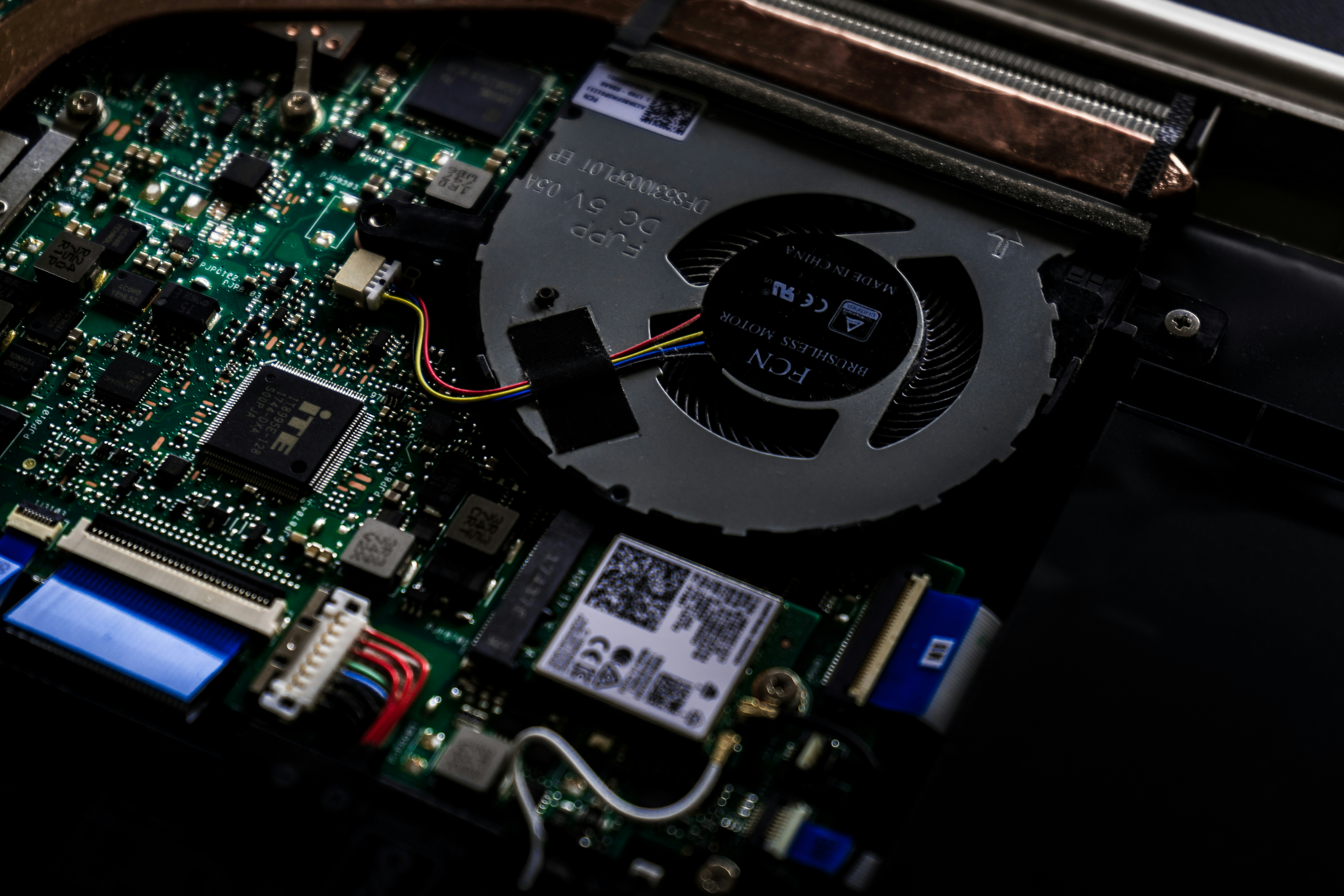
The central component of any personal computer (PC) is the chip, which is commonly referred to as the microprocessor or CPU (Central Processing Unit). The CPU serves as the brain of the computer, processing instructions and managing data flow between various hardware components. In parallel, the chipset complements the CPU by facilitating communication between the processor and the other essential components of the system. This interactivity is crucial for the overall performance and efficiency of the PC.
The chipset typically consists of two main parts: the Northbridge and Southbridge. The Northbridge is responsible for high-speed communication, directly connecting to the CPU, memory, and high-performance graphics cards. In contrast, the Southbridge handles I/O functions, such as USB ports, audio, and storage interfaces. This division of labor helps streamline operations, allowing the CPU to focus on processing tasks while the chipset manages external communications. Over time, advancements in technology have led to the integration of these components into single-chip solutions, reducing space and power consumption while enhancing performance.
Modern chipsets have evolved significantly with increasing demands for speed and functionality. For instance, the introduction of PCIe (Peripheral Component Interconnect Express) lanes in recent chipsets has optimized bandwidth for GPUs and SSDs, which are vital for gaming and professional applications. As hardware continues to advance, chipsets are designed to accommodate newer technologies, such as integrated graphics and enhanced memory support. This evolution not only enhances the performance of a personal computer but also ensures compatibility with emerging standards. In essence, the chip and chipset work synergistically to provide a cohesive and efficient computing experience, enhancing both functionality and user satisfaction.
How Clock Speed Affects Performance
Clock speed, often measured in gigahertz (GHz), refers to the frequency at which a CPU executes instructions. Essentially, it indicates how many cycles a processor can perform in one second, making it a critical factor in determining the performance capabilities of a personal computer. Higher clock speeds generally mean that a CPU can handle more instructions per second, thereby potentially enhancing the overall speed and efficiency of the system.
The relationship between clock speed and processing power is integral to understanding CPU performance. Each cycle executed allows the CPU to carry out a specific task or instruction. Consequently, a processor operating at a higher clock speed can complete tasks more rapidly compared to one with a lower clock speed. However, it is important to note that clock speed is not the sole determinant of a CPU’s performance. Other factors, such as the number of cores, architecture design, and cache size, play vital roles in how well a CPU performs under different conditions.
Performance metrics such as application responsiveness, multitasking capabilities, and computational productivity can all be influenced by clock speed. For instance, tasks that require minimal processing power may not benefit significantly from an increase in clock speed, whereas resource-intensive applications, such as video editing or 3D rendering, can see marked improvements. Additionally, fluctuations in clock speed may occur under varying loads. Many modern CPUs leverage technologies such as Turbo Boost, which allows processors to automatically increase their clock speeds under demanding conditions, further optimizing performance without compromising on efficiency.
Thus, while higher clock speeds generally suggest improved performance, it is essential to consider the complete architecture of the CPU and how it integrates with other components within a personal computer to fully appreciate its impact on performance.
The Central Processing Unit (CPU): The Heart of a PC
The Central Processing Unit, often referred to as the CPU, serves as the primary component of a personal computer responsible for executing instructions and processing data. It is sometimes described as the brain of the computer due to its critical role in performing calculations, logical operations, and controlling other components. The CPU interprets and processes program instructions, allowing software applications to perform their designated functions.
Since its inception, the design and architecture of CPUs have experienced significant evolution. Early processors were single-core units, executing one instruction at a time. As computational demands increased with the introduction of advanced software applications and operating systems, the need for enhanced processing capabilities led to the development of multi-core processors. These CPUs contain multiple processing units, or cores, which enable them to execute several instructions concurrently, thus improving performance and efficiency for demanding tasks.
Multi-core processing has revolutionized the computing experience. Modern CPUs often feature two, four, or even more cores, allowing for superior multitasking and improved responsiveness when running multiple applications simultaneously. By dividing computational tasks among various cores, CPUs can manage workloads more effectively, reducing overall processing time and enhancing user experience. Furthermore, advancements in technology have enabled CPUs to incorporate features such as hyper-threading, which allows a single core to work on two threads simultaneously, further increasing efficiency.
In summary, the Central Processing Unit plays a vital role in personal computers. Its functions extend beyond mere instruction execution; it is integral to managing computational tasks and enhancing overall system performance. As technology continues to evolve, so too will the capabilities of CPUs, enabling them to meet the ever-growing demands of users and applications alike.
Exploring Microprocessors and Their Impact
Microprocessors serve as the core component in modern computing devices, functioning as the brains of the system. These miniaturized electronic circuits execute a sequence of programmed instructions, significantly influencing the overall capabilities and performance of personal computers. Unlike traditional CPUs, which refer specifically to the central processing unit as a whole, the term microprocessor encompasses not only the CPU itself but also integrates various processing functions within a single chip. This integration leads to increased efficiency and reduced physical space, making it a pivotal element in the design of portable computing devices such as laptops, smartphones, and tablets.
The evolution of microprocessors has catalyzed significant advancements in computing technology. Early microprocessors had limited performance and capabilities, suitable for basic tasks. However, as technology progressed, newer models began to support multitasking, enhanced graphics, and increased speed, all while consuming less power. The transition from 8-bit to 16-bit, 32-bit, and now 64-bit microprocessors has enabled these devices to handle more complex applications and data-intensive tasks seamlessly. As a result, today’s microprocessors can perform billions of calculations per second, thereby transforming the way users interact with technology.
Moreover, microprocessors are designed with specific architectures tailored to the tasks they need to perform. For instance, there are microprocessors optimized for high-performance computing, which is essential for gaming and graphics processing, and those designed for energy efficiency, focusing on extended battery life in mobile devices. The choices made in microprocessor design play a critical role in the user experience, shaping the speed, efficiency, and overall functionality of personal computing devices. Such advancements highlight the microprocessor’s enduring significance in the realm of modern technology.
The Rise of Green PCs: Efficiency and Sustainability
The evolution of personal computing has increasingly been influenced by the need for efficiency and sustainability. Green PCs, or energy-efficient personal computers, have gained prominence as users become more conscious of their environmental impact. These systems are designed to minimize energy consumption without sacrificing performance, thereby supporting a more sustainable digital ecosystem.
Key to the functionality of green PCs is the incorporation of energy-saving technologies. Manufacturers are focusing on advanced components, such as energy-efficient processors that consume less power while delivering high performance. Moreover, the utilization of solid-state drives (SSDs) instead of traditional hard disk drives (HDDs) contributes significantly to lower energy usage. SSDs are faster and more reliable, and they inherently require less power to operate, making them a preferred choice in the quest for environmental sustainability.
Additionally, the practice of sustainable manufacturing is vital in the production of green PCs. Many companies are exploring environmentally friendly materials and methods that reduce waste and emissions throughout the lifecycle of computing devices. This includes using recyclable components, minimizing packaging, and ensuring that production methods adhere to eco-friendly standards. Such practices not only help in diminishing the carbon footprint but also encourage users to be more prudent about their technology consumption and disposal.
The importance of green PCs extends beyond the individual user; they contribute to a collective movement towards reducing global energy consumption. By adopting energy-efficient personal computing solutions, users can significantly lower their electricity bills while promoting a healthier planet. Furthermore, as awareness of climate change continues to rise, green PCs present a viable option for consumers looking to make environmentally conscious choices in their technological investments.
The Evolution of Personal Computers: From PDAs to Tablets
The landscape of personal computing has seen remarkable transformations over the past few decades, transitioning from bulky desktops to sleek, portable devices. The evolution began with Personal Digital Assistants (PDAs) in the 1990s, which were groundbreaking at the time for their ability to manage contacts, schedules, and basic tasks on the go. PDAs represented a shift in how individuals interacted with technology, focusing on portability and convenience. Brands like Palm and Microsoft led this charge, but limitations in functionality and connectivity soon became apparent.
As technology advanced, the introduction of smartphones integrated computing capabilities that far surpassed those of PDAs. Devices like the iPhone, introduced in 2007, quickly became essential tools, offering users email, web browsing, and a suite of applications in a pocket-sized format. This amalgamation of devices not only transformed mobile computing but also set the stage for the development of tablets. Tablets emerged in the late 2000s, characterized by their larger screens and touch interfaces, making them ideal for content consumption and productivity tasks alike.
The versatility of modern tablets has led to their adoption across various sectors, including education, business, and entertainment. The advancements in processing power and battery technology have allowed these personal computers to run sophisticated applications, seamlessly integrating into daily routines. Furthermore, operating systems have become more intuitive, catering to both casual users and professionals who require advanced functionalities. As a result, personal computers have dramatically evolved, offering users a diverse range of options to suit their distinct lifestyles.
This evolution signifies not just a change in the devices themselves, but also a broader shift in societal habits and expectations regarding technology. In a mobile-centric world, personal computers are not simply tools; they have become extensions of ourselves, adapting continuously to meet our dynamic needs.