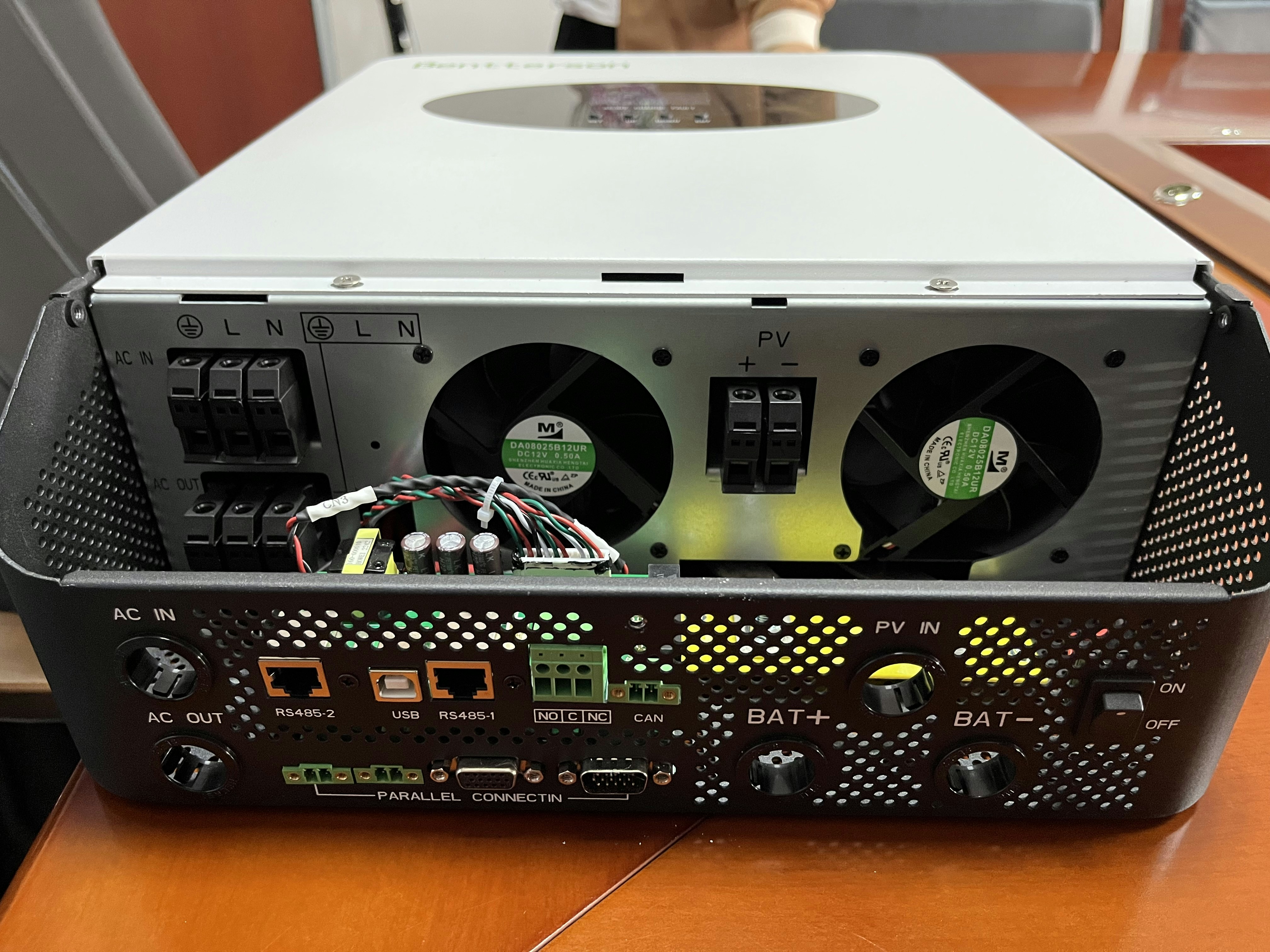
Introduction to Computer Hardware
Computer hardware refers to the physical components that make up a computer system. These tangible parts work collaboratively to perform various functions, allowing users to efficiently operate and utilize computers for diverse tasks. Understanding computer hardware is fundamental not only for users but also for IT professionals who manage and maintain these systems. The different categories of hardware components include input devices, output devices, storage devices, the processing unit, and memory.
Input devices facilitate communication between the user and the computer, ensuring that commands and data can be entered effectively. Common examples include keyboards, mice, and scanners. These devices play a critical role in translating user actions into signals that the computer can understand.
Once the input is processed, output devices present the results of the computer’s computations to the user. Monitors, printers, and speakers fall under this category, and they transform digital information into a format that is accessible and comprehensible to the user. The relationship between input and output devices is essential for the overall user experience when interacting with computer systems.
In addition to input and output devices, storage devices are crucial for data retention. Hard drives, solid-state drives, and external storage media serve as repositories for information, enabling long-term data preservation and retrieval. This component is vital since it allows users to save their work, access files at a later time, and manage large volumes of data efficiently.
The processing unit, often referred to as the central processing unit (CPU), is the core of the computer, executing instructions and performing calculations. Memory, including RAM (random access memory) and cache, temporarily stores data for quick access during processing tasks. Understanding these hardware components is essential for optimizing performance and ensuring smooth operation of computer systems.
Input Devices: Bridging User Interaction and Computing
Input devices play a crucial role in facilitating communication between users and computer systems. These devices enable users to enter data, commands, and other information, effectively bridging the gap between human interaction and computer processing. The most common input devices include keyboards, mice, scanners, and microphones, each serving distinct functions in data entry and user interaction.
The keyboard is arguably the most widely used input device, allowing users to input text and commands through a layout of keys. It includes alphanumeric keys, function keys, and special keys for performing various tasks, all of which contribute to efficient data entry. Additionally, there are various keyboard types, such as mechanical, membrane, and ergonomic, catering to different user preferences and needs.
Mice serve as another essential input device, providing users a means to navigate graphical user interfaces with precision. With the basic functions of pointing, clicking, and scrolling, the mouse enhances user interaction by allowing straightforward manipulation of on-screen elements. Variants such as trackpads and trackball mice offer alternatives for navigating, especially on laptops or in space-constrained environments.
Other input devices, such as scanners and microphones, expand user interaction by offering ways to capture information that is not readily available through traditional means. Scanners convert physical documents into digital format, enabling storage and editing. Meanwhile, microphones facilitate voice commands, allowing hands-free operation of software and applications through voice recognition technology, which has gained traction in recent years.
Moreover, evolving input methods have introduced touchscreens, which combine display and input into a single interface, allowing users to interact directly with what is displayed. This technology enhances usability by providing intuitive touch gestures for navigating applications. As these input technologies continue to advance, they will further refine how users communicate with their computing systems, paving the way for more interactive and efficient user experiences.
Output Devices: Communicating Results from the Computer
Output devices play a crucial role in the interaction between users and computers by conveying information processed by the system. These devices allow users to perceive data, ranging from visual images to audible sounds, providing a means to understand and analyze information generated by software applications. Among the predominant output devices are monitors, printers, and speakers, each serving distinct yet interconnected functions.
Monitors are essential for visual representation of data, and they come in various types, including LCD, LED, and OLED technologies. LCD monitors, known for their efficiency and slim design, utilize liquid crystals to create images, while LED monitors enhance brightness and color accuracy through backlighting. OLED technology takes this further by using organic compounds that emit light, allowing for true blacks and a higher contrast ratio. The resolution of these monitors also plays a critical role, with advancements leading to high-definition (HD) displays and 4K resolution options that present more detailed images.
Printers serve another vital function by providing tangible copies of digital information. Inkjet printers, popular for their versatility and cost-effectiveness, utilize tiny nozzles to squirt ink onto paper, making them ideal for photographs and color documents. In contrast, laser printers employ a different mechanism that uses a laser beam to fuse toner onto paper, resulting in faster printing speeds and lower operating costs, especially for high-volume jobs. Recent advancements in printing technology have also introduced 3D printing, allowing for the production of three-dimensional objects from digital models, revolutionizing design and manufacturing processes.
Lastly, speakers are instrumental in delivering auditory output, enhancing user engagement through sound. Speakers convert digital audio signals into audible sound waves, facilitating everything from notification alerts to immersive multimedia experiences. With the integration of technologies such as surround sound and wireless connectivity, the quality and versatility of sound output have significantly improved.
Storage Components: Where Data Lives
Storage devices are essential components of computer hardware, serving as the repositories for data, applications, and the operating system. Among the most common types of storage devices are hard disk drives (HDD) and solid-state drives (SSD). Both serve the purpose of storing data, yet they utilize distinct technologies, which results in notable differences in performance, capacity, and reliability.
Hard disk drives are traditional storage devices that utilize spinning magnetic disks to read and write data. HDDs are known for their high storage capacities, often available in terabytes, making them ideal for users who require significant space for files such as videos, photos, and extensive software programs. However, HDDs generally offer slower data access speeds compared to SSDs. The mechanical components involved in reading data can lead to latency, which may not be suitable for applications demanding high-speed data retrieval.
In contrast, solid-state drives leverage flash memory technology to store data. This lack of mechanical parts allows SSDs to access and transfer data significantly faster than HDDs. Consequently, SSDs are often preferred for operating systems and frequently used applications, providing users with quicker boot times and enhanced overall system responsiveness. However, SSDs often come at a higher price point per gigabyte than HDDs, which might impact choices based on budget considerations.
Additionally, modern data management increasingly incorporates external storage and cloud storage solutions. External drives, including portable HDDs and SSDs, offer flexibility for transferring large amounts of data, while cloud storage allows users to securely store and access their files from anywhere with an internet connection. Understanding the differences between these storage components and their appropriate use cases is vital for optimal data management.
The Central Processing Unit (CPU)
The Central Processing Unit (CPU) is regarded as the brain of a computer, playing a critical role in executing instructions from software applications and managing operations of other hardware components. This processor interprets and performs commands from both the operating system and programs, thereby influencing overall system performance. Typically, the performance of a CPU is measured in terms of clock speed, expressed in gigahertz (GHz), which indicates how many cycles per second the CPU can execute. A higher clock speed generally suggests a faster processing capability, but this metric alone does not define the efficiency or performance of a CPU.
Moreover, the core count of a CPU is another crucial element impacting its capabilities. Modern processors generally feature multiple cores, with some ranging from dual-core to octa-core configurations. Each core can perform tasks independently, thereby enhancing multitasking capabilities and parallel processing efficiency. The ability to distribute workloads across multiple cores significantly improves performance in applications such as video editing, gaming, and data analysis that require substantial computational power.
The technological evolution of CPUs has ushered in numerous significant milestones, including the transition from single-core to multi-core architectures, as well as the advancements in manufacturing processes, which have led to smaller transistor sizes and increased energy efficiency. Different types of processors are available in the market today, such as general-purpose CPUs, designed for everyday computing tasks, and specialized processors like GPUs tailored for graphics rendering. Additionally, there are application-specific integrated circuits (ASICs) that optimize specific functionalities, such as cryptocurrency mining and machine learning tasks. In summary, the CPU is an indispensable component of a computer system, and understanding its functions and variants can guide users in making informed decisions when selecting hardware for their specific needs.
Memory: Understanding Computer RAM and ROM
Memory is a crucial component of computer hardware, encompassing various types that significantly influence system performance. Two primary forms of memory are RAM (Random Access Memory) and ROM (Read-Only Memory). Each of these memory types serves distinct functions within a computer, affecting everything from speed to the overall usability of a system.
RAM is a type of volatile memory, meaning that it temporarily holds data and applications that are in use while the computer is powered on. The speed of RAM is vital, as it facilitates quick access to frequently used information, helping to enhance the performance of programs and the operating system. As users run more applications simultaneously, a larger capacity of RAM can significantly reduce lag and improve multitasking capabilities. Typically, modern computers may feature anywhere from 4GB to 64GB of RAM, a range that caters to basic tasks or resource-intensive applications such as gaming and graphic design.
In contrast, ROM serves a different purpose. As a non-volatile memory, it retains stored information even when the computer is turned off. ROM typically contains firmware, which is essential for booting up the device and loading the operating system. This memory type is permanent and is not user-modifiable under normal circumstances, ensuring that critical instructions for hardware operations remain intact. The size of ROM is generally smaller than RAM, but it is designed to hold essential information, often measured in megabytes rather than gigabytes.
Understanding the differences between RAM and ROM is vital for grasping how they contribute to overall system performance. The efficiency of RAM impacts speed and responsiveness, while ROM ensures that necessary instructions are always available. Both play integral roles in the functioning of a computer, making it crucial for users to comprehend their functionalities and capacities in order to optimize performance.
The Interplay Between Hardware Components
The functioning of a computer system hinges on the seamless interaction between various hardware components. These include input devices, processing units, storage solutions, and output peripherals, each playing a pivotal role in the overall performance and usability of the system. Understanding how these elements work together can provide valuable insights into the operation and efficiency of a computer.
Starting with input devices, such as keyboards and mice, they serve as the primary means through which users communicate with the computer. When a user types, the keyboard produces electrical signals that are transmitted to the processing unit, typically the central processing unit (CPU). This is where data from the input device is interpreted, processed, and transformed into meaningful information. The processing phase is crucial as it executes the instructions necessary for software applications to function properly, turning user commands into results.
Once the data is processed, it may need to be stored for future retrieval. This is where storage devices, such as hard drives and solid-state drives, come into play. They maintain the processed data even when the system is powered off. The storage solutions can be categorized into primary storage, which includes RAM, and secondary storage, used for long-term data retention. The rapid access capabilities of RAM allow for efficient processing during operations, while secondary storage provides a reliable backup for data.
Finally, output devices, including monitors and printers, convert the processed data into a format that is accessible to the user. The entirety of this workflow—from input through processing and storage to output—illustrates the interconnected nature of hardware components. Any bottleneck or failure in one area can significantly affect the performance of the entire system. Recognizing these relationships aids in troubleshooting and optimizing computing environments, ensuring that users achieve the best possible experience.
Emerging Trends in Computer Hardware
The field of computer hardware is experiencing rapid advancements, driven by the need for enhanced performance, efficiency, and integration. One of the most notable trends is the incorporation of artificial intelligence (AI) into central processing units (CPUs). This integration allows processors to not only execute tasks more swiftly but also to adapt to user behavior, optimizing performance based on individual usage patterns. The fusion of AI with hardware creates more intelligent systems that are capable of learning and improving over time, which can dramatically enhance various applications, from gaming to data processing.
Another significant trend is the rise of ultra-fast storage options, such as NVMe (Non-Volatile Memory Express) SSDs (Solid State Drives). These storage devices utilize the PCI Express interface to deliver superior speed and lower latency compared to traditional hard drives and SATA SSDs. As applications require faster data retrieval and processing times, the demand for these advanced storage solutions is growing. Consequently, users can expect improved system performance, whether for everyday tasks or high-performance computing environments.
The evolution of input and output technologies is also noteworthy. The advent of high-resolution displays, touch interfaces, and advanced peripheral devices represents a shift towards a more immersive user experience. Moreover, the trend towards miniaturization is evident in modern hardware design, as seen in the development of compact form factors for desktops, laptops, and various consumer electronics. This trend not only caters to the portability needs of users but also promotes energy efficiency, as smaller devices often consume less power without compromising on performance.
As technology continues to evolve, staying informed about these emerging trends is crucial for both consumers and industry professionals. Investing in up-to-date hardware ensures compatibility with the latest applications and supports ongoing advancements in computer technology.
Conclusion: The Importance of Hardware Knowledge
Understanding computer hardware is crucial for anyone who relies on technology in their daily lives, whether for personal use or professional purposes. This guide has explored various aspects of computer hardware, including input, output, storage, processing, and memory devices. Each of these components plays a significant role in the overall functionality and performance of a computer system. Recognizing how these elements work together can greatly enhance your computing experience.
Grasping the details of different hardware specifications empowers users to make informed decisions when it comes to purchasing or upgrading computer systems. Compatibility between components can impact system performance and stability, making it essential for users to understand the intricacies of their hardware choices. Additionally, a solid knowledge of computer hardware can help diagnose potential issues, troubleshoot effectively, and extend the longevity of devices.
The implications of hardware choices extend beyond mere performance; they also influence the user’s productivity and the ability to execute demanding tasks. As technology continues to evolve, staying updated on hardware advancements becomes increasingly important. Engaging with online communities, forums, and resources dedicated to computer hardware can provide valuable insights and foster a deeper understanding of the subject. Continuous learning allows users to adapt and take full advantage of the capabilities offered by modern hardware.
As we conclude this discussion, we encourage readers to delve deeper into the world of computer hardware. Exploring further resources, participating in discussions, and sharing experiences with others can enrich one’s knowledge and understanding. Embracing this learning journey not only enhances individual computing skills but also prepares users for the ever-changing technological landscape ahead.