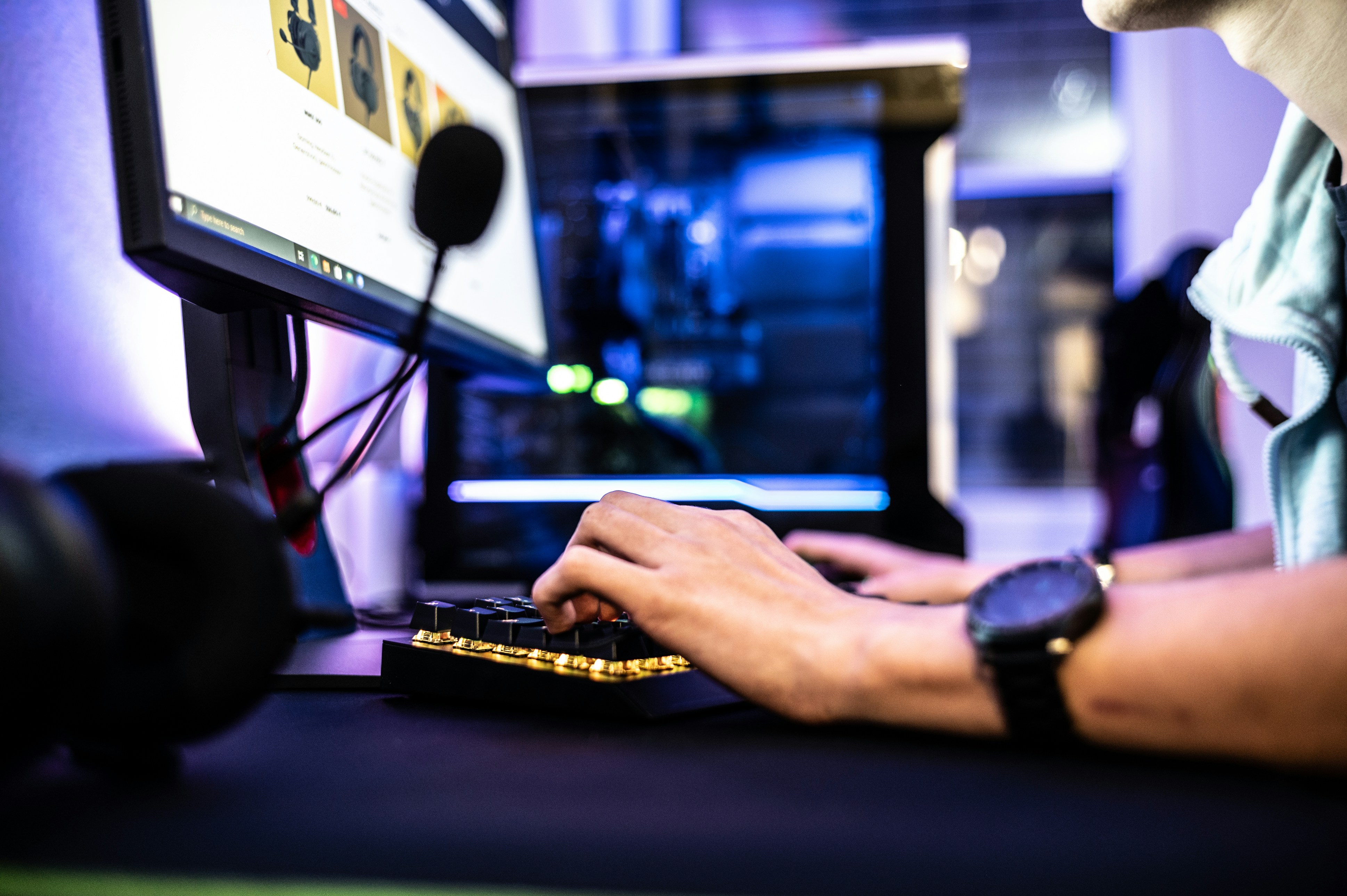
Introduction to Input Devices
Input devices are crucial components in the realm of computing, serving as the primary means through which users interact with computers and digital systems. Their role extends beyond mere functionality; they facilitate communication, control, and interaction, allowing individuals to input data, execute commands, and manipulate information. This communication occurs between the user and the computer, making input devices an integral part of the user experience.
The primary purpose of input devices is to convert user actions or data into a format that computers can process. For instance, when a keyboard is used to type text, it translates physical keystrokes into digital signals that the computer understands. Similarly, a mouse allows users to interact with graphical interfaces through point-and-click actions, enabling a dynamic and intuitive navigation experience. These devices play a significant role in enhancing productivity and efficiency, as they help users accomplish a wide range of tasks with relative ease.
Beyond keyboards and mice, other input devices like scanners and microphones also contribute to computer interaction. Scanners digitize physical documents, allowing for easy storage and sharing, while microphones enable voice commands and communication in various applications, including video conferencing and voice recognition software. Each of these devices has its unique features and capabilities, but they all share the common goal of bridging the gap between user intent and computer response.
As technology continues to evolve, the importance of input devices remains paramount. They increasingly integrate advanced features, such as touch sensitivity and voice recognition, which enhance user engagement and create more seamless interactions. Understanding the fundamental role of input devices lays the groundwork for a deeper examination of specific examples, such as keyboards, mice, scanners, and microphones, allowing for a comprehensive overview of how these tools shape our computing experiences.
Keyboards: The Primary Text Input Device
Keyboards have long been a staple in the realm of computing, serving as the primary text input device for users across various industries. The evolution of the keyboard traces back to the early typewriters of the 19th century, which laid the foundation for the design and functionality that we recognize today. The transition from mechanical typewriters to electronic keyboards marked a significant advance in technology, allowing for enhanced productivity and user experience.
Modern keyboards can be classified into several categories, including mechanical, membrane, and virtual models, each offering distinct advantages depending on the user’s needs. Mechanical keyboards are favored by many gamers and typists due to their tactile feedback and durability. They operate through individual mechanical switches beneath each key, which can provide a faster response time and a satisfying click sound. This variety is particularly appealing for those who spend extended hours typing, as they often reduce fatigue and improve overall comfort during use.
On the other hand, membrane keyboards utilize a different mechanism where pressure is applied to a single membrane layer to register keystrokes. These keyboards are generally quieter and more cost-effective, but they may lack the tactile feedback that many users prefer. Additionally, the rise of touch technology has popularized virtual keyboards, commonly found on tablets and smartphones. Virtual keyboards offer flexibility, allowing users to type on a flat screen without physical keys. Despite lacking the tactile sensation of traditional keyboards, they provide conveniences like customization and adaptability for various languages.
As keyboard technology continues to advance, ergonomic designs have emerged, focusing on reducing strain during long usage periods. Features such as split layouts and adjustable heights cater to user comfort and health considerations. Understanding these various keyboard types enhances a user’s ability to select the ideal input device for their specific needs, ensuring both efficiency and comfort in the increasingly digital world.
Mice: Navigating the Digital Landscape
The computer mouse has revolutionized the way users interact with graphical user interfaces (GUIs) since its inception. Originally conceptualized in the 1960s, early pointing devices were rudimentary, often utilizing mechanical mechanisms to track motion. Over the decades, this technology has evolved, with the introduction of optical and laser mice providing enhanced accuracy and responsiveness. Modern mice utilize various technologies, including infrared and radio frequency, facilitating the wireless operations that users have come to expect.
There are several types of mice, each designed for specific user needs. Traditional optical mice operate by detecting movement based on a light source directed at a surface. In contrast, laser mice offer superior precision, enabling them to function on a greater variety of surfaces with remarkable fluidity. Furthermore, trackball mice provide an alternative ergonomic solution, allowing users to control the cursor by rotating a ball embedded within the device, which can reduce wrist strain for prolonged use. Ideal for graphic designers and architects, these devices ensure that professionals acquire the precise control necessary for intricate tasks.
The design of a mouse is a crucial element impacting user experience. Many manufacturers have prioritized ergonomic design, recognizing that a well-contoured mouse can significantly enhance comfort during extensive computer usage. Features such as customizable buttons and adjustable sensitivity allow users to tailor their navigation experience, resulting in greater productivity. In addition, innovations such as vertical mice aim to reduce wrist pronation, further supporting health-conscious users.
In the realm of gaming, specialized gaming mice offer enhanced performance through features such as rapid responsiveness, customizable weights, and programmable buttons, catering to the needs of avid gamers who seek competitive advantages. Overall, the evolution of the mouse has continually enhanced user experience, ensuring that navigating the digital landscape remains intuitive and efficient.
Scanners: Digitizing the Physical World
Scanners play a vital role in the seamless transition from physical documents to digital formats, significantly enhancing usability and accessibility. The process of digitization is essential in many environments, including offices, educational institutions, and personal settings. Various types of scanners exist, each catering to specific needs and preferences. Among the most common are flatbed scanners, sheet-fed scanners, and handheld scanners.
Flatbed scanners are designed with a glass plate on which documents are placed. They offer high-quality scanning with excellent color accuracy and intricate detail, making them ideal for photos, artwork, or any documents requiring high fidelity. The versatility of flatbed scanners allows them to accommodate various document sizes, from small receipts to larger items such as magazines and books.
On the other hand, sheet-fed scanners are distinct for their ability to automatically feed multiple pages through a scanning mechanism. This feature makes them exceptionally suitable for high-volume document digitization, an asset in busy office environments. Sheet-fed scanners tend to be compact, allowing for easy integration into workflow systems, but they may not handle larger or fragile documents as effectively as flatbed models.
Handheld scanners are smaller, portable devices that users can maneuver with one hand. While they may not deliver the same resolution as larger models, they are convenient for scanning on the go, making them ideal for individuals requiring occasional document capture without a stationary setup.
Scanning resolution is a vital factor to consider when selecting a scanner. Higher resolution ensures finer detail and clarity; however, it also increases file size. Software compatibility is another essential aspect, as reliable software can simplify the scanning process, enhance image quality, and facilitate organization. For optimal scanning results, users should ensure the scanner is properly calibrated, maintain cleanliness, and choose appropriate settings based on their specific needs, ensuring the digital representation faithfully captures the original document.
Microphones: Capturing Sound in the Digital Age
Microphones play a pivotal role in audio input and recording, enabling the capture of sound for various applications. They are essential tools in today’s digital landscape, facilitating everything from casual voiceovers to high-fidelity music production. There are several types of microphones, each with its distinct characteristics, advantages, and typical usage scenarios.
Dynamic microphones are among the most popular types due to their durability and versatility. They utilize a diaphragm connected to a coil, which moves in response to sound vibrations, generating an electrical signal. Dynamic microphones excel in live performances and broadcasting because they can handle high sound pressure levels without distortion. This makes them particularly suitable for vocalists and instrument amplifications, such as guitars and drums.
Condenser microphones, in contrast, are known for their sensitivity and wide frequency response. They require an external power source, typically through phantom power, making them ideal for studio environments where precision is paramount. These microphones excel at capturing nuanced sounds, making them a preferred choice for professional music recording, voiceovers, and use in broadcasting. Their ability to capture high frequencies and subtle details makes them invaluable for achieving clarity and richness in sound.
USB microphones have gained immense popularity in recent years, particularly among podcasters and content creators. They offer the convenience of directly connecting to computers without the need for additional audio interfaces. USB microphones come in various styles, ranging from dynamic to condenser designs, enabling users at all skill levels to produce high-quality recordings. This accessibility has contributed to the growth of digital audio content across platforms.
In various fields, microphones serve essential functions: in podcasting, they enhance audio quality, while in professional music recording, they capture the subtleties of performances. The diversity of microphone types allows users to choose the appropriate tool for their specific audio needs, ensuring optimal sound quality across different applications.
Comparison of Input Devices: Functionality and Use Cases
Input devices play a crucial role in how users interact with computers and other digital systems. Among the most common input devices are keyboards, mice, scanners, and microphones, each serving distinct functions that cater to various user needs. Understanding the unique functionalities of these devices can significantly enhance productivity, depending on the context in which they are used.
Starting with the keyboard, this device is primarily used for textual input and command execution. Keyboards are essential for tasks involving word processing, programming, and data entry, making them indispensable in office environments and educational settings. Ergonomic keyboards have now emerged to reduce strain during prolonged use, catering to professionals who spend long hours typing.
The mouse is another integral input device, providing users the ability to navigate graphical user interfaces with precision. Ideal for tasks such as graphic design, gaming, and general computer navigation, the mouse facilitates quick clicks and drag-and-drop actions. Moreover, specialized mice, like ergonomic or gaming mice, offer tailored designs that improve comfort and functionality according to user preferences and requirements.
Moving on to scanners, these devices convert physical documents into digital formats, enabling users to store, edit, and share information easily. Scanners are especially beneficial in environments where documentation management is vital, such as in legal firms or educational institutions. They support various forms of digitization, from simple text documents to complex image files, thereby aiding in record-keeping and archiving.
Finally, microphones play a significant role in audio input. Their functionality as tools for voice recognition, communication, and content creation has become increasingly relevant in today’s digital landscape. Whether for video conferencing, podcasting, or dictation, microphones facilitate clear audio capture, enhancing the overall user experience in activities that rely on sound.
Each of these input devices serves specific purposes and is best suited for particular tasks. By understanding the functionalities and typical use cases of keyboards, mice, scanners, and microphones, users can make informed decisions about which devices will optimize their workflow and enhance their productivity.
Technological Innovations in Input Devices
Recent advancements in input device technology have significantly transformed the way users interact with computers and other electronic systems. Notable innovations include smart keyboards that offer programmable keys, allowing users to customize their experience according to specific tasks or software applications. These keyboards can enhance productivity, as they enable quick access to frequently used functions, thereby streamlining workflow processes.
Another remarkable development is the evolution of mice, particularly touch-sensitive models that offer a more intuitive user interface. These devices detect finger movements with precision and provide a seamless experience when navigating through digital content. The integration of artificial intelligence in input devices has further enhanced their functionalities. For instance, AI-driven adaptive features can learn user habits and preferences, catering to individual needs and improving overall usability.
Moreover, advancements in accessibility features have made input devices more inclusive for users with disabilities. Ergonomically designed keyboards and mice now provide alternative input methods, such as voice commands and gesture recognition. These developments enable individuals with mobility impairments to interact more comfortably and effectively with technology.
Furthermore, innovations in connectivity have facilitated the development of wireless input devices, offering users greater freedom of movement without the constraints of cables. Modern input devices often include sophisticated power-management systems, resulting in longer battery life and more efficient energy consumption, which is increasingly vital in today’s eco-conscious world.
As input devices continue to evolve, the convergence of hardware and software will likely lead to even more transformative user experiences. These innovations are paving the way for a future where technology becomes increasingly intuitive and responsive to user needs, making human-computer interaction more seamless than ever before.
Choosing the Right Input Device for Your Needs
When it comes to selecting the right input device, consideration of several factors is essential to ensure a suitable match for your individual requirements. First and foremost, ergonomics plays a significant role in user comfort and productivity. An ergonomic design can help prevent strain and injuries associated with prolonged use, particularly in devices like keyboards and mice. For instance, a keyboard with a split or adjustable layout may significantly enhance wrist comfort, while an ergonomic mouse can support hand positioning and reduce the risk of repetitive strain injuries.
Next, it is important to evaluate your usage patterns. Different tasks may necessitate different input devices. For example, if your work predominantly involves typing, a high-quality mechanical or membrane keyboard may serve you best. Conversely, for graphic design or gaming, a specialized gaming keyboard or high-precision mouse could make a significant difference in performance and user experience. Understanding how you intend to use the device will aid in identifying features that align with your needs.
Device compatibility is another critical aspect to consider. Ensure that the input device you choose is compatible with your operating system and hardware to avoid issues with functionality. Many manufacturers provide compatibility information on their product specifications, which can save time and frustration during setup.
Finally, budget considerations should never be overlooked. Input devices are available across a broad price range. Setting a budget prior to shopping can help narrow down options and guide you towards devices that not only meet your criteria but also align with your financial constraints. By factoring in ergonomics, usage patterns, compatibility, and budget, users can confidently make informed decisions when investing in input devices.
Conclusion: The Significance of Input Devices in Daily Computing
Throughout this exploration of input devices, we have uncovered the vital roles that keyboards, mice, scanners, and microphones play in our daily computing tasks. Each device serves a unique function, enhancing our ability to interact with technology in effective and efficient ways. For instance, keyboards facilitate fast and precise text input, enabling us to compose documents, communicate with others, and execute various commands with ease. Likewise, mice offer a tactile interface for navigation, providing users with the agility to manipulate on-screen elements seamlessly.
Moreover, the importance of scanners in digitizing physical documents cannot be overstated. They bridge the gap between the physical and digital worlds, making it easier to store, share, and retrieve information. Scanners help to streamline workflows and increase productivity, especially in environments where paper documentation is prevalent. On the other hand, microphones have become increasingly crucial with the rise of voice recognition technology and communication applications. They enhance our ability to engage with software using voice commands and facilitate clearer interactions in virtual meetings.
As we consider the significance of these input devices, it becomes clear that selecting the appropriate tools can substantially impact how we interact with our digital surroundings. Different tasks may require different devices for optimized performance. Therefore, individuals and organizations alike should be mindful of their specific needs when choosing input equipment. By investing in suitable input devices, users can enhance their overall workflow and make their computing experiences more enjoyable and productive. The thoughtful integration of these devices into daily practices is essential for maximizing efficiency and effectiveness in an increasingly tech-driven world.