Introduction to Personal Computers
Personal computers (PCs) have become an integral part of modern life, offering users the ability to perform a wide range of tasks, from professional work to leisure activities. The evolution of personal computers has transformed significantly since their inception in the mid-20th century, with desktops and laptops emerging as the two predominant types catering to varied user needs. Understanding the distinction between these two forms is crucial in a world heavily dependent on technology.
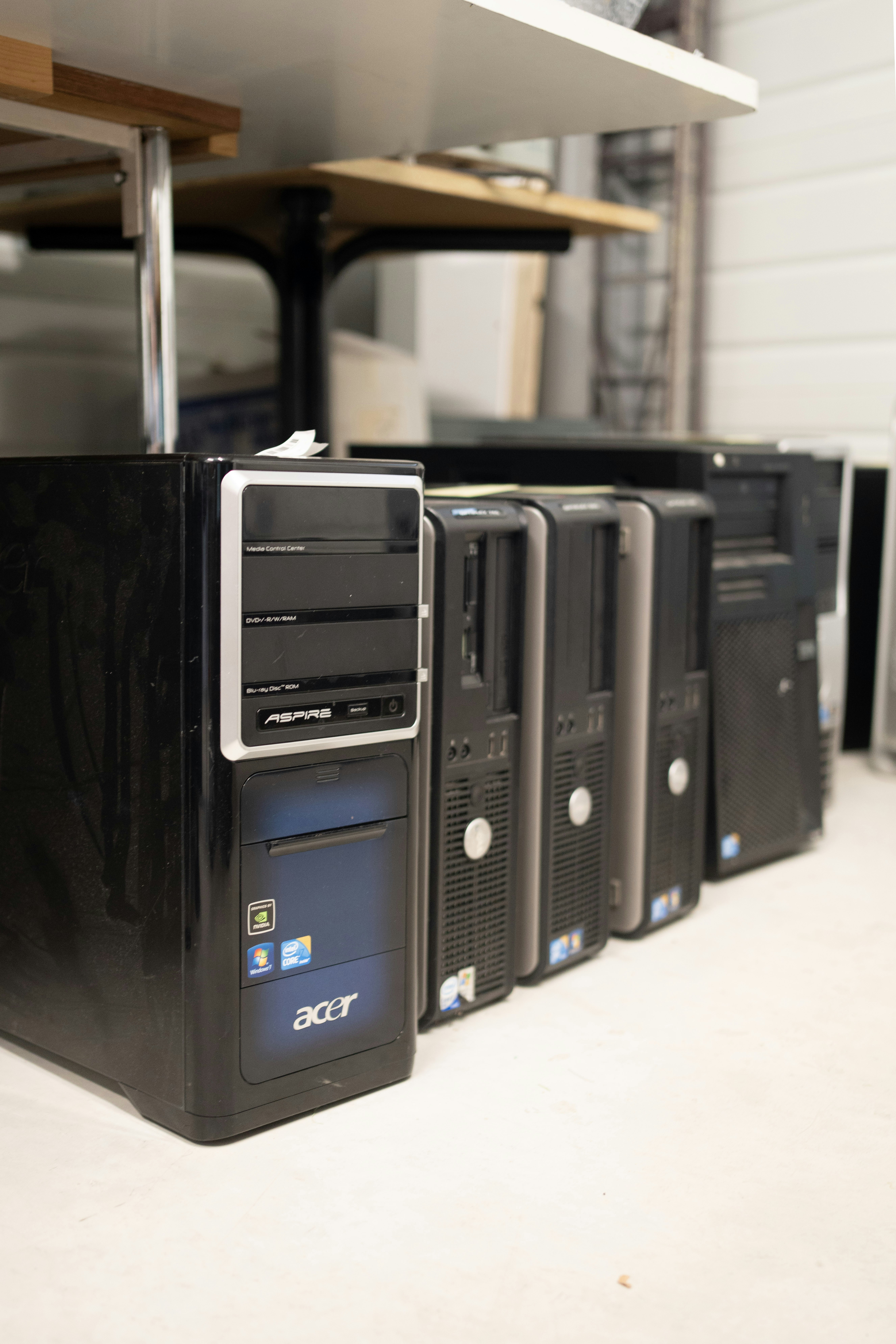
Desktops traditionally consist of separate components, including a monitor, keyboard, and central processing unit (CPU), or tower. They are often favored for their superior performance capabilities, larger screens, and ergonomic designs, making them ideal for activities that require extensive computing power such as gaming, graphic design, or data analysis. Conversely, laptops offer the unique advantage of portability, allowing users to carry their computing devices wherever they go. This flexibility aligns well with the fast-paced lifestyle of today’s professionals and students, enabling them to work or study from virtually any location.
The relevance of personal computers has only intensified with the growing demand for remote work and online education. As technology continues to advance, both desktops and laptops have incorporated enhanced features such as faster processors, better graphics, and more efficient energy consumption, appealing to a wide array of users. Furthermore, the introduction of compact and versatile devices such as all-in-one PCs and ultra-lightweight laptops has enriched the market, offering tailored solutions to meet diverse computing needs.
Choosing the right type of personal computer is a pivotal decision that hinges on individual requirements, whether it be for gaming, business, or casual usage. By understanding the foundational aspects of PCs, consumers can make informed choices that will effectively cater to their personal and professional demands.
Understanding Desktops: Advantages and Disadvantages
Desktop computers have established themselves as a staple in both home and office environments due to their unique set of advantages and disadvantages. One of the primary benefits of desktop PCs is their superior performance. Generally, desktops house more robust components, including CPUs and GPUs, which allow for improved computing power and graphics capabilities. This makes them an excellent choice for high-performance tasks such as gaming, video editing, and software development, where the demands for processing power are significant.
Another notable advantage of desktop computers is their upgradeability. Unlike laptops, desktops often come with modular designs, allowing users to easily swap out components like RAM, storage, and graphics cards. This flexibility not only enhances the lifespan of the system by enabling upgrades but also offers users the opportunity to customize their machines according to specific needs and preferences. Additionally, desktop systems tend to be more cost-effective in terms of performance per dollar spent, making them an attractive option for budget-conscious consumers who require higher performance.
However, desktop computers also come with disadvantages that warrant consideration. The most significant drawback is their lack of portability. Desktops require designated workspace and are not designed for mobility, making them unsuitable for users who travel frequently or need to work in multiple locations. Furthermore, a desktop setup typically demands more physical space, as it includes multiple components such as a monitor, keyboard, and tower. This can be a limiting factor in smaller living environments. The reliance on external power sources is another inconvenience that may deter some users.
In evaluating the merits and drawbacks of desktop PCs, individuals must consider their specific needs and lifestyle requirements. Ultimately, the decision will depend on whether the advantages of performance and upgradeability outweigh the disadvantages of portability and space requirements for each user.
Exploring Laptops: Pros and Cons
Laptops have revolutionized the way users interact with technology, combining portability with robust functionality. One of the primary advantages of laptops is their convenience. They allow users to work, study, or enjoy entertainment from virtually anywhere, eliminating the constraints often associated with traditional desktops. The advancements in battery life mean that many modern laptops can run for extended periods without needing a plug, addressing a common concern for mobile users.
Another significant benefit is the increasing performance capabilities of laptops. Today’s models are equipped with powerful processors, ample RAM, and high-resolution displays, enabling them to tackle demanding tasks such as video editing, gaming, and complex data analysis. These enhancements have made laptops suitable for both casual users and professionals who previously relied solely on desktop computers for their power and performance needs.
However, despite their advantages, laptops do come with certain drawbacks. One notable limitation is the difficulty in upgrading components. Unlike desktops, which often allow users to easily replace or upgrade parts like RAM, storage, or graphics cards, laptops generally have more fixed hardware configurations. This restriction can hinder long-term performance improvement as technology evolves and demands increase.
Furthermore, the repair costs for laptops can be significantly higher compared to desktops. The compact nature of a laptop makes it challenging to access internal components, often requiring professional assistance for even simple repairs. As a result, the initial investment in a laptop may lead to higher total costs over time, especially when faced with repairs or part replacements.
In essence, while laptops offer remarkable portability and advancements in performance, it is essential for prospective users to weigh these benefits against potential limitations in upgradability and repair costs. By carefully considering these factors, users can make an informed decision about whether a laptop represents the optimal choice in their personal computer journey.
Key Features to Consider When Choosing a PC
When selecting a personal computer, be it a desktop or a laptop, it is critical to focus on several key features that significantly influence performance, usability, and overall user experience. One of the foremost considerations is the processor type, which profoundly affects the speed and efficiency of the machine. The most common processor families are Intel and AMD, offering various options tailored for basic tasks, gaming, or content creation. Understanding the differences in performance between these processor types will help users select a device that meets their needs.
Another crucial aspect is the Random Access Memory (RAM). The amount of RAM determines how many applications a user can run simultaneously without experiencing slowdowns. For general use, a minimum of 8GB is recommended, while gamers or professionals working with demanding applications might opt for 16GB or more to ensure smooth multitasking capabilities.
The storage options available for PCs include Solid State Drives (SSD) and Hard Disk Drives (HDD). SSDs are faster and more reliable, enhancing load times and overall performance, whereas HDDs offer larger storage capacities at a lower cost. Depending on the user’s needs — whether for gaming, multimedia, or standard office tasks — choosing the right storage solution is essential.
Graphics capabilities are particularly important for users who engage in gaming or graphic design. Integrated graphics may suffice for basic tasks, while dedicated graphics cards are necessary for high-end performance requirements. It is advisable to research the specifications of graphics technology to ensure compatibility with the intended use.
Finally, display quality should not be overlooked. The resolution, size, and panel type influence the visual experience. Higher resolutions, such as 4K, provide crisp visuals, making them ideal for media consumption and professional editing. Choosing a personal computer with a display that aligns with how it will be used will greatly enhance user satisfaction and productivity.
Comparison: Desktops vs. Laptops
When considering a personal computer, the choice between desktops and laptops hinges on several key factors, including performance, portability, price, and usability. Each category presents distinct advantages and limitations that can significantly impact user experience.
Performance is often a primary consideration for many users. Desktops typically house more powerful hardware, including larger processors and dedicated graphics cards, making them ideal for demanding tasks such as gaming, video editing, and software development. Laptops, on the other hand, while increasingly sophisticated with advancements in mobile technology, may lag behind in raw processing power due to space and thermal constraints. Nonetheless, high-performance laptops have emerged that rival desktop setups but usually come at a premium price.
Portability is another critical aspect. Laptops, designed for mobility, offer the advantage of being lightweight and compact, providing users the freedom to work or play from virtually anywhere. In contrast, desktops are stationary and require a dedicated workspace, which can be a limiting factor for those with dynamic lifestyles or for students who need to carry their devices to different locations.
Price varies significantly between the two, with desktops typically offering better performance per dollar. A mid-range desktop can provide superior specifications compared to a similarly priced laptop, largely due to the lower costs associated with desktop components. However, the increased cost of high-performance laptops can be justified for users who prioritize portability above all else.
Usability also diverges between desktops and laptops. While desktops tend to have larger screens and more comfortable input devices, such as full-sized keyboards and mice, laptops offer integrated solutions that are more space-efficient. The choice between the two often boils down to personal preferences and usage scenarios. Users should carefully consider these attributes to make an informed decision that aligns with their computing needs and lifestyle.
Popular Brands and Models in the Market
In the landscape of personal computers, several brands stand out, offering a range of desktops and laptops tailored to different user needs. Dell, HP, Apple, and Lenovo are among the leading names in the market, each with unique strengths and weaknesses that cater to various demographics.
Dell is renowned for its versatility, providing robust options for gaming, business, and home use. The Dell XPS series is particularly favored for its sleek design and high performance, making it suitable for professionals and creatives alike. On the other hand, Dell’s Alienware line is designed specifically for gamers, featuring powerful graphics and customizable components. However, Dell may sometimes compromise on battery life, which can be a drawback for mobile users.
HP also offers a diverse range of desktops and laptops, prominently the HP Spectre and Envy series which are popular for their aesthetics and performance. These models are well-equipped for multitasking, making them ideal for professionals. Meanwhile, HP’s Omen line caters to gamers, boasting powerful hardware. Nevertheless, some users have reported issues with customer service, which could be a consideration for potential buyers.
Apple remains a prominent player, particularly among creative professionals who favor the MacBook and iMac for their sleek design and seamless ecosystem. The macOS environment is optimized for graphic design and multimedia tasks, allowing for high efficiency. However, the higher price point may deter casual users or those on a budget.
Lenovo’s ThinkPad series is favored in corporate settings, known for its durability and excellent keyboard experience, ideal for professionals who prioritize productivity. For gamers, the Legion series offers robust performance at competitive prices. Despite these strengths, some models may be heavier, affecting portability.
In choosing a personal computer, considerations such as user type, performance requirements, and budget play crucial roles. Each brand presents distinct models tailored to specific needs, ensuring users find the perfect fit for their computing demands.
Maintenance and Care for Your PC
Proper maintenance and care are essential for ensuring that both desktops and laptops function optimally over time. Regular software updates are crucial, as they not only improve performance but also enhance security by patching vulnerabilities. It is recommended to enable automatic updates to guarantee that your operating system and applications are kept up to date. Furthermore, regularly checking for driver updates can also lead to better compatibility with newer software and peripheral devices.
Hardware maintenance plays a significant role in the longevity of your PC. Dust and debris can accumulate inside both desktops and laptops, leading to overheating and potential hardware failures. For desktops, it is advisable to clean the interior at least once a year. You can use compressed air to blow out dust from fans, heat sinks, and components without direct contact. In the case of laptops, regular exterior cleaning is important; this includes wiping screens and keyboards with appropriate solutions that do not damage electronics. Avoid using abrasive materials that could scratch surfaces.
Optimizing performance can also be achieved through software. Regularly uninstalling unused applications and cleaning temporary files can free up valuable disk space, which is particularly important for laptops with limited storage. Utilizing built-in tools for defragmenting hard drives, or enabling TRIM for solid-state drives can keep data organized and improve access times. Additionally, monitoring system performance using task managers can help identify any resource-heavy applications that may require adjustment or removal.
By implementing these maintenance tips and being proactive about the care of your PC, users can significantly extend the lifespan of their machines while ensuring they operate smoothly and efficiently. This not only saves money in the long run but also enhances the overall computing experience.
Future Trends in Personal Computing
The landscape of personal computing is continuously evolving, driven by innovation in technology and changes in user preferences. As we look ahead, several notable trends are emerging that will shape the future of both desktops and laptops. One such trend is the rise of hybrid devices, which combine the functionality of traditional laptops and tablets. These versatile machines offer the convenience of portability, enabling users to switch seamlessly between work and leisure, thus catering to the increasing demands of mobility in personal computing.
Another significant trend is the growing integration of cloud computing into personal devices. With more applications and services moving to the cloud, users can access their data and software from virtually anywhere, reducing the reliance on local storage. This transformation allows for streamlined operations and enhanced collaboration as data is shared across multiple devices. As cloud technology continues to advance, we can anticipate even greater capabilities in terms of storage and accessibility, making personal computing more efficient and user-friendly.
Advancements in artificial intelligence (AI) are also poised to reshape personal computing. AI-driven software can assist users with various tasks, from optimizing system performance to automating routine actions, thereby enhancing productivity. Furthermore, AI technologies are being integrated into operating systems and applications, making devices smarter and more intuitive. This shift indicates a future where personal computers will not only perform tasks but also learn from user habits, leading to more personalized user experiences.
In light of these developments, it is essential for consumers to remain informed about emerging trends in personal computing. By understanding and adapting to innovations like hybrid devices, cloud integration, and artificial intelligence, users can future-proof their tech choices and ensure they are equipped to meet the demands of an ever-changing digital landscape.
Conclusion: Finding the Right PC for You
In selecting the ideal personal computer, whether a desktop or a laptop, it is crucial to evaluate your unique needs, preferences, and lifestyle. Each type of PC offers distinct advantages and disadvantages that cater to different usage scenarios. Desktops, known for their superior performance and upgradeability, may appeal to users seeking extensive processing power for gaming, graphic design, or video editing. They provide larger screens and more comfortable ergonomics for prolonged use, making them suitable for a home office environment.
On the other hand, laptops excel in portability, convenience, and integrated features such as a built-in battery and wireless connectivity. This makes them particularly appealing for students and professionals who need the flexibility to work from various locations. Furthermore, advancements in laptop technology have significantly closed the performance gap with desktops, empowering users to handle most computing tasks efficiently on a portable device.
As you reflect on your computing habits, consider factors such as how frequently you travel, the types of applications you use, and whether you prioritize performance over portability. Budget considerations also play a crucial role; typically, desktops offer more power for a given price but require additional investment for peripherals, while laptops include everything you need in a single package.
Ultimately, the right PC for you is the one that aligns with your daily activities and personal requirements. By taking a step back to assess your lifestyle and computing needs, you will be better positioned to make an informed decision. Regardless of whether you choose a desktop or a laptop, an understanding of both options will ensure that your personal computer effectively supports your objectives and enhances your productivity.